EasyManua.ls Logo

Ematic ED929D - User Manual

Ematic ED929D
14 pages
Print Icon
To Next Page IconTo Next Page
Loading...
ED929D
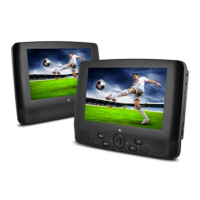
Ematic 9” Dual Portable DVD Player

Questions and Answers

  • R
    Rodney KeyJul 26, 2025
    Why is the picture distorted on my Ematic DVD Player?
    • A
      Ashley HernandezJul 27, 2025
      If the picture appears distorted while using your Ematic DVD Player, the disc may be damaged. Try playing another disc. Also, it is normal for some distortion to appear during forward or reverse scan.
  • H
    hunteralexandraAug 1, 2025
    How to fix no sound on Ematic DVD Player?
    • A
      Aaron HubbardAug 1, 2025
      If your Ematic DVD Player has no sound or distorted sound, ensure the machine is connected properly and that all cables are securely inserted into the appropriate jacks.
  • C
    Christina SalazarAug 8, 2025
    Why can't I fast forward on my Ematic DVD Player?
    • C
      Carol DavisAug 8, 2025
      If you can't advance through a movie on your Ematic DVD Player, it's likely because the disc is programmed to prohibit that action, especially during the opening credits and warning information.
  • J
    Jessica Wade DDSAug 13, 2025
    What to do if my Ematic DVD Player won't fast forward?
    • T
      Terry BellAug 13, 2025
      If you cannot perform forward or reverse scan on your Ematic DVD Player, it may be due to sections on some discs that prohibit rapid scanning or chapter skipping. For example, the warning information and credits at the beginning of a movie are often programmed this way.
  • O
    oreeseAug 20, 2025
    What does the icon on my Ematic DVD Player mean?
    • C
      clarkwayneAug 20, 2025
      When the icon appears on the screen of your Ematic DVD Player, it indicates that the feature or action cannot be completed at this time. This could be because the disc's software restricts it, the disc's software doesn't support the feature (e.g., angles), the feature is not available at the moment, or you've requested a title or chapter number that is out of range.

Summary

Safety Precaution

Package Contents

Main Features

Unit Controls Overview

Unit A Controls

Details the buttons and ports for Unit A.

Unit B Controls

Details the buttons and ports for Unit B.

System Connection

Powering and Installation

Instructions for connecting the player to power adapters.

Connecting to Unit A;B

How to link two player units for synchronized operation.

Connecting External Speakers

Guide for connecting the unit to external audio systems.

Connecting to TV

How to connect the player to a television for viewing.

Remote Control Details

Remote Control Unit A

Explains buttons and functions for Unit A's remote.

Remote Control Unit B

Explains buttons and functions for Unit B's remote.

Remote Control and Basic Operation

Remote Control Usage

Instructions for battery insertion and remote operation.

Initial Playback Steps

Guide to starting playback of discs like DVD, VCD, MP3.

Advanced Playback Functions

Fast Scan Operations

How to fast forward and backward through media.

Repeat Playback

Setting repeat options for titles, chapters, or scenes.

Angle and Zoom

Adjusting viewing angles and zooming playback images.

Data Disc Media Handling

Playing JPEG Files

Viewing image files from discs.

SD;MMC;USB Main Menu

Navigating the main menu for external storage.

Playing MP3 Files

Playing audio files from discs.

Media File Browsing

Browser Mode

File and folder navigation for storage devices.

Photo Mode

Viewing photos in thumbnail or slideshow.

Music Mode

Playing music files from storage.

Media Playback and Ripping

Movie Mode Playback

Playing video files like AVI.

CD Ripping Function

Converting CD audio to MP3 format.

System Setup Options

General Setup

Settings for display, OSD language, and screen saver.

Video Setup

Adjustments for TV type and video output quality.

System Setup Preferences

Preference Setup

Configuring audio, subtitle, disc menu, and parental controls.

Product Specifications

Troubleshooting Guide

Ematic ED929D Specifications

General IconGeneral
BrandEmatic
ModelED929D
CategoryDVD Player
LanguageEnglish

Related product manuals