to reverse the picture vertically.
tray. The unit will start reading and playing.
and the “OK” button to select a JPEG le from the menu.
horizontally. Press
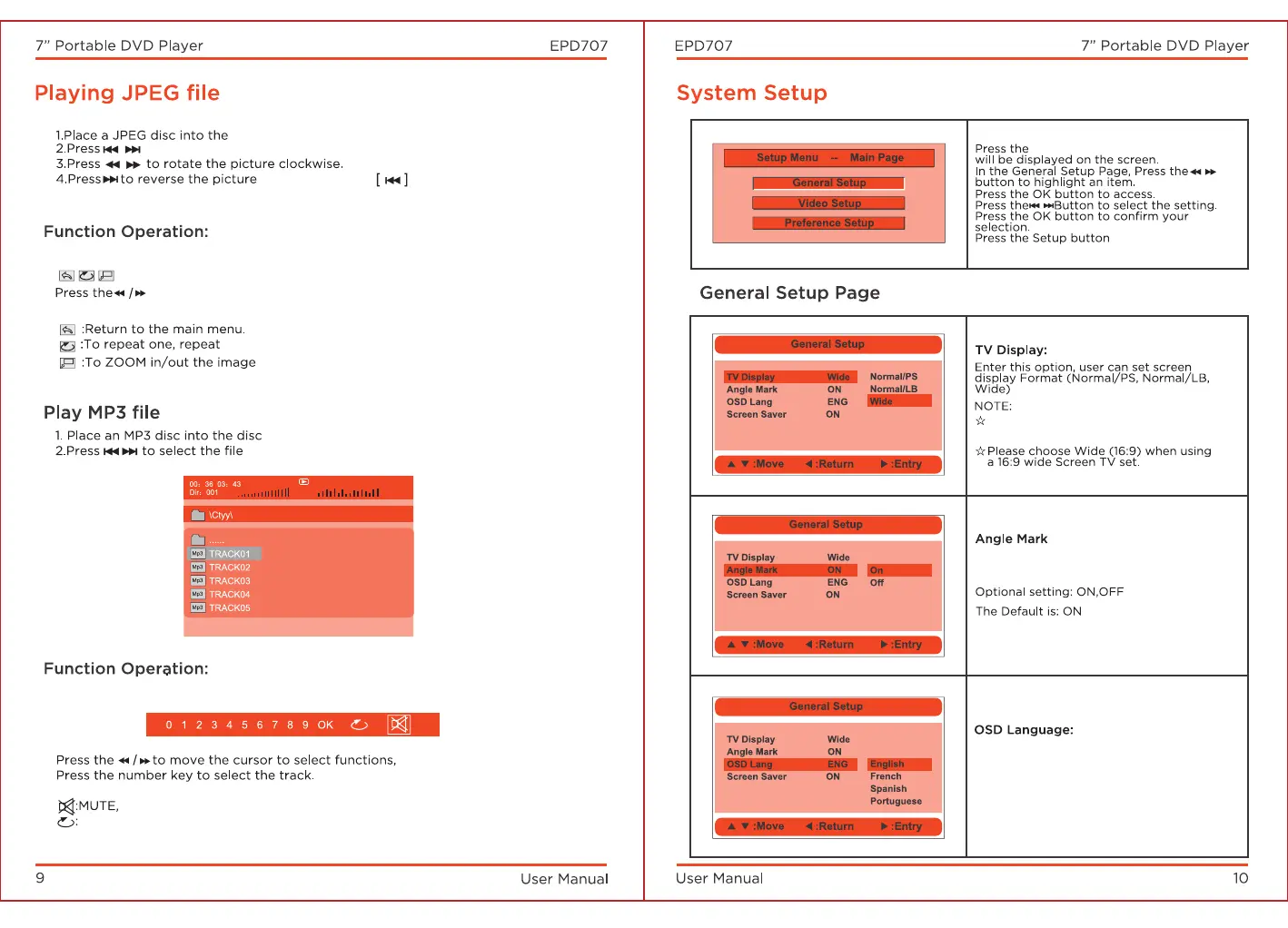
Press the "FUNCTION" key and you will see the toolbar below.
to move the cursor and select functions.
Press "OK" to select a function.
all.
while playing.
Press "FUNCTION" to exit the toolbar.
tray.
. Press the "OK" button to play the selected le.
Press the "FUNCTION" button and you will see the toolbar below:
Press "OK" to select a function.
Press to mute all sound.
Press to repeat one, repeat folder, or turn repeat o.
Press"FUNCTION" to exit the toolbar.
Setup button and the main menu.
to exit.
Default: Wide.
The function depends on the display radio
with which the DVD disc is recorded.
Enter this option to set the angle
while playing.
In this option, the user can set the
OSD menu language (English, French,
Spanish, Portuguese).
Default: English


 To Next Page
 Loading...