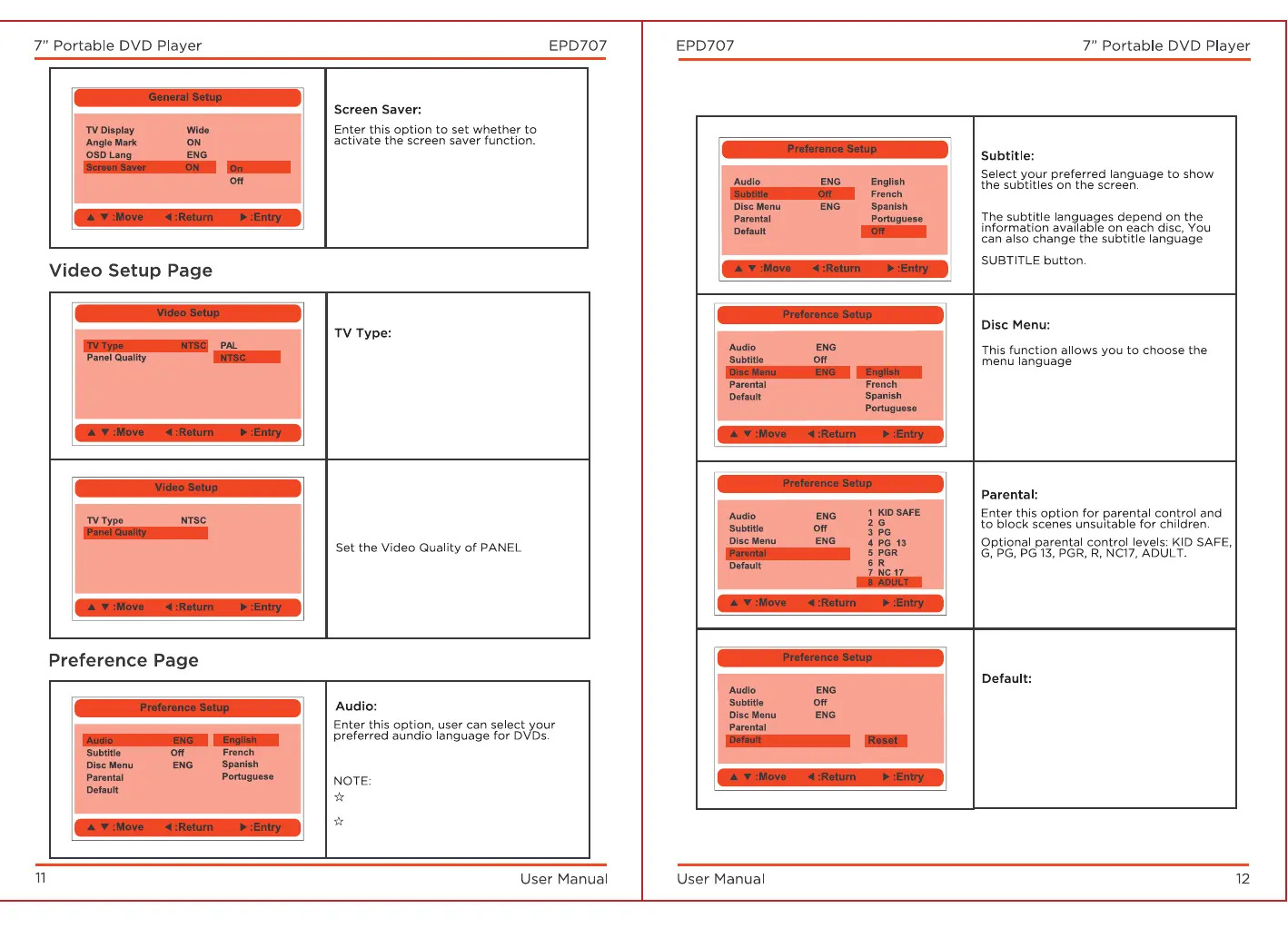
Default: English
Default: ON.
Enter the option to select TV type
(PAL, NTSC).
Default: NTSC.
Default: OFF.
while playing by pressing the
stored on the disc.
Default: English
NOTE:
The disc menu language depends on
the information available on the disc.
Default: ADULT
The password is continuously pressing
the "FUNCTION" button four times.
Select this item and press the "OK"
button to reset all settings to
factory settings.
language depends on the material on
each disc.
Users can also change the audio
language while playing by pressing
the Audio button.



 To Next Page