The EMAX Transporter 2 (WITH DVR) is a specialized FPV (First-Person View) goggle designed for an immersive flying experience with drones. It allows users to view real-time camera footage from their drone, providing a dynamic perspective during flight. This device is intended for users aged 18 and above, and it's crucial to understand its features and precautions for safe and optimal use.
Function Description
The primary function of the EMAX Transporter 2 is to receive and display real-time video feeds from an FPV drone, enabling the user to pilot the drone as if they were onboard. It incorporates a Digital Video Recorder (DVR) feature, allowing users to record their flights directly onto an SD card. The goggles are equipped with two antennas for robust signal reception, ensuring a stable video link during flight. An integrated battery powers the device, and it can be charged via a Micro USB port. The design includes an IPD (Interpupillary Distance) adjustment mechanism to customize the eye distance for comfortable viewing, accommodating different users. The goggles also feature an audio output, suggesting the capability to receive audio feeds from the drone or for playback of recorded videos.
Usage Features
The EMAX Transporter 2 offers several user-friendly features for controlling its various functions.
- Power On/Off and Menu Navigation: A dedicated Menu key serves a dual purpose. A short press enters the menu system, where users can scroll through options. Pressing and holding this key for 2 seconds powers the device on or off. In menu mode, this key also functions as a "return/exit" button.
- Band Selection: The Band Button allows users to cycle through different frequency bands (A/B/E/F/R/H) to match the drone's video transmitter. In menu mode, this button acts as a "confirm" or "+" selector. For instance, when navigating the DVR menu, it can be used to select videos or adjust forward playback speed.
- Channel Selection: The Channel Button is used to select specific frequency channels (1-8) within the chosen band. In menu mode, this button functions as a "-" selector. Similar to the Band Button, in DVR mode, it can be used to select videos or adjust reverse playback speed.
- Auto Scan: The Auto Scan Button simplifies the process of finding the correct channel and frequency. A single click initiates an automatic scan, which attempts to lock onto the strongest signal. However, users are advised to manually adjust the channel if the auto-scan misidentifies the optimal frequency. Pressing and holding this button for 1.5 seconds switches the goggles to AV mode. In DVR mode, this button can be used to delete the current file.
- Recording (DVR): The Record Button controls the DVR functionality. A single click starts recording, and another click stops it. When recording is active, a red dot appears on the screen, and a red LED indicator illuminates and flashes after approximately 10 seconds, confirming that recording is in progress. The DVR supports various video sizes (VGA/D1/HD) and recording durations (off/3 mins/5 mins/10 mins). It requires a Class 10 or higher speed TF card (up to 32GB) and records in MJPEG format with AVI file extension.
- IPD Adjustment: The IPD Eye Adjustment slider allows users to adjust the distance between the lenses to match their interpupillary distance, ensuring a clear and comfortable viewing experience. It's important to ensure both sides of the slider are equal in length for proper alignment.
- Headband and Sponge: The device includes a headband for securing the goggles to the user's head and a sponge for comfort and light sealing around the eyes.
- Reset Function: A dedicated Reset button is available for troubleshooting or to return the device to its default settings.
- Charging Indicator: A red indicator light signifies that the battery is charging. This light turns green once charging is complete, providing a clear visual cue of the battery status.
Maintenance Features
Proper maintenance is essential for the longevity and performance of the EMAX Transporter 2.
- Assembly and Disassembly: The antennas are detachable and should be connected securely before use. The headband is also designed for easy installation. The goggles can be folded for compact storage and transport.
- Battery Management: The device is powered by a 1-cell 1300mAh LiPo battery. Users should ensure the battery is fully charged before each flight to avoid unexpected power loss. The Micro USB port facilitates convenient charging.
- Storage: When not in use, the goggles should be stored in a safe place, away from harsh environments such as extreme temperatures, rain, snow, or strong electromagnetic fields.
- Cleaning: While not explicitly detailed, it is generally good practice to keep the lenses and display clean to maintain optimal visual clarity.
- Software Updates: EMAX encourages users to visit their official websites (emax-usa.com or emaxmodel.com) for any updates or support needs, which may include firmware updates to improve performance or add new features.
- Disposal: When the product reaches the end of its life, users are instructed to follow local residential waste disposal rules, particularly for the main case, display module, and the built-in battery.
- General Precautions: Users are advised to avoid dropping or colliding with the product, as this can cause damage. Modifying the device or using unapproved parts and accessories is also discouraged. Extended use may cause eye strain or physical discomfort, and users should stop immediately if any discomfort occurs. The device should not be used by individuals with physical or mental illness, dizziness, fatigue, or under the influence of alcohol or drugs. Always operate in a safe area, away from crowds, children, animals, or objects, and adhere to local regulations.

 Need help?
 General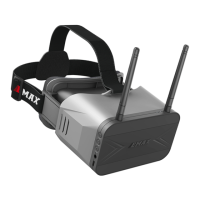

 To Next Page