EasyManua.ls Logo

Embassy HOME EL1 - User Manual

Embassy HOME EL1
28 pages
Print Icon
To Next Page IconTo Next Page
Loading...
Everything you need to know to install, program, and use
your EMBASSY
®
HOME
Electronic Door Lock EL1
Users Manual
Question and Answer IconNeed help?

Do you have a question about the Embassy HOME EL1 and is the answer not in the manual?

Summary

Installation Guide

Door Preparation for Installation

Details steps for preparing the door, including bore size and faceplate.

Adjusting the Deadbolt Backset

Explains how to set the deadbolt backset for 2-3/8" or 2-3/4" doors.

Installing your Embassy EL1 Electronic Door Lock

Install Deadbolt into edge of door

Instructions for inserting the deadbolt into the door's edge.

Install strike plate

Guide for attaching the strike plate to the door frame.

Secure the exterior and interior assemblies

Steps to attach the main lock components using throughbolt screws.

Install interior assembly and batteries

Attaching the interior part and inserting batteries into the lock.

How to Use Your Embassy Home Electronic Door Lock

How to Unlock the Door

Methods for unlocking the door from outside and inside using codes or key.

How to Lock the Door

Procedures for locking the door manually or automatically from outside and inside.

How to Perform Auto-Handing

Explains the automatic process for the lock to detect door handing during installation.

How to Reset to Factory Default Settings

Codes Overview

Features List

Master Code

Explains the function and default value of the Master Code.

Programming Mode

How to enter Programming Mode using the lock button and Master Code.

Auto Lock Mode

Automatically locks the door after a set time, preventing unlocked doors.

Manual Lock Mode

Wrong Entry Limit

Prevents brute force attacks by disabling the keypad after multiple invalid entries.

Vacation Mode

Temporarily disables all user codes for security during extended absences.

One-Time User Code

Code Concealment

Feature allowing random numbers before/after valid codes for security.

Silent Mode

Mutes keypad beeping sounds for quiet operation.

Antimicrobial Coating

Reset to Factory Default

Programming Instructions

How to Enter Programming Mode

Steps to initiate programming by pressing lock and entering Master Code.

How to Change the Master Code

Guide to modifying the existing Master Code for enhanced security.

How to Add a User Code

Process for creating new user codes for access, up to 20.

How to Mute;Unmute Keypad Beeping

Instructions to enable or disable audible feedback from keypad presses.

Overview

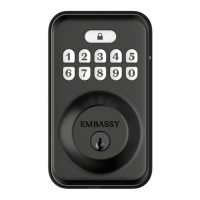
The EMBASSY® HOME™ Electronic Door Lock EL1 is a security and convenience device designed for residential use. This electronic deadbolt offers multiple ways to lock and unlock a door, including a keypad, a physical key, and an interior thumbturn. It is designed to be user-friendly, with features that enhance security and simplify daily routines.

Function Description:

The EMBASSY® HOME™ EL1 is an electronic deadbolt that provides keyless entry and enhanced security for your home. It allows users to unlock the door using a Master Code, User Codes, a One-Time User Code, or a traditional physical key. From the inside, the door can be locked or unlocked using a thumbturn. The lock supports both automatic and manual locking modes, offering flexibility based on user preference. It incorporates security features such as a "Wrong Entry Limit" to deter brute-force attacks and "Code Concealment" to protect codes from being observed by outsiders. The lock is also equipped with an antimicrobial coating on its buttons for hygiene.

Important Technical Specifications:

  • Exterior Assembly Dimensions: (H) 5-1/8" (130mm) x (W) 3" (76mm) x (D) 1-3/16" (30mm)
  • Interior Assembly Dimensions: (H) 5-9/16" (142mm) x (W) 2-3/4" (70mm) x (D) 1-3/4" (44mm)
  • Batteries: 4 AA Alkaline batteries (included).
  • Operation Voltage: 4.6V ~ 4.0V.
  • Battery Life: Approximately one year (based on 10 unlock/lock cycles per day).
  • Code Length: Master Code and User Codes can be 4-10 digits long.
  • Number of User Codes: Up to 20 unique User Codes can be programmed.
  • Door Bore Compatibility: Designed for doors with a 2-1/8" (54mm) wide bore.
  • Backset Compatibility: Adjustable deadbolt for 2-3/8" (60mm) or 2-3/4" (70mm) backsets.
  • Door Thickness: Not explicitly stated, but standard deadbolt installations typically accommodate common door thicknesses.

Usage Features:

  • Master Code: A primary code (default: 1-2-3-4-5-6-7-8, must be changed after installation) used to program other settings and User Codes.
  • User Codes: Up to 20 unique codes for family members or trusted individuals.
  • One-Time User Code: A single-use code that is automatically deleted after one use, ideal for temporary access.
  • Manual Override Key: A physical key for traditional unlocking, serving as a backup.
  • Locking & Unlocking Button: A dedicated button on the exterior keypad for locking and unlocking.
  • Auto Lock Mode: Automatically locks the door 30 seconds after unlocking (adjustable from 10 to 99 seconds). This feature helps prevent doors from being left unlocked.
  • Manual Lock Mode: The default mode where the door is locked by pressing and holding any keypad button for 2 seconds or using the lock button.
  • Vacation Mode: Temporarily disables all User Codes, allowing only the Master Code to unlock the door. If the door is unlocked by physical key or thumbturn in this mode, an alarm will sound.
  • Silent Mode: Allows users to mute the keypad beeping sound for discreet operation (does not mute alarms).
  • Code Concealment: Users can enter random numbers before or after their valid code, making it harder for outsiders to discern the actual code.
  • Wrong Entry Limit: After 10 consecutive invalid code entries, the keypad is disabled for 3 minutes to deter brute-force attacks.
  • Automatic Handing Process: The lock automatically detects whether it is installed on a left- or right-handed door during initial setup or after a factory reset.

Maintenance Features:

  • Low Battery Indicator: A rapid red light and beeping sound will alert users when the battery is low. The lock will continue to function for approximately 100 cycles after the indicator appears.
  • Battery Replacement: Requires 4 AA batteries. It is recommended to change batteries before extended trips.
  • Factory Reset: Allows users to wipe all codes and settings, restoring the Master Code to its default and re-triggering the automatic handing process. This is useful if the Master Code is forgotten or if a complete reset is desired.
  • Antimicrobial Coating: The keypad buttons are coated with an antimicrobial layer that releases silver ions to suppress the growth of bacteria and other microbes.
  • Splash Proof: The lock is sealed against splashes, but it is not designed to withstand direct soaking or jet streams, as water penetration can void the warranty.
  • Free 'Lost Key' Service: Users can register their physical key on the Embassy Hardware website, and a new one will be provided for free if the original is lost.

Embassy HOME EL1 Specifications

General IconGeneral
BrandEmbassy
ModelHOME EL1
CategoryDoor locks
LanguageEnglish