12
Music Mode
(8 hours)
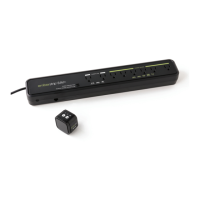
Changing settings for Active Powerdown™ using
the SmartSensor
Your Embertec Emberplug™ is equipped with a number of settings to suit
your lifestyle. You can set your timer to either 1 or 2 hours, depending on
usage habits. This means the SmartSensor will ash after the set period,
warning of imminent power down. In every case you can continue using
your equipment by pressing any button on any remote control.
The default setting is 1 hour, which is aimed to maximise your energy
savings.
Follow these instructions to change Active Powerdown™ to 2 hours, (this
may be preferred for longer movies or programs where remote control
activity is less frequent).
Once (one second)
then release
1 hour
(default setting)
1 time
Please make sure the sensor has ashed back 1, 2 or 3 times
To set the Active
Powerdown™
timer to:
Press the button
on the
SmartSensor:
To conrm the setting,
the LED light on the
SmartSensor will ash:
1. Ensure your Audio Visual (AV) equipment is switched on.
Twice (one second
each) then release
2 hours 2 times
Three Times
(one second each)
then release
3 times


 To Next Page
 Loading...