EasyManua.ls Logo

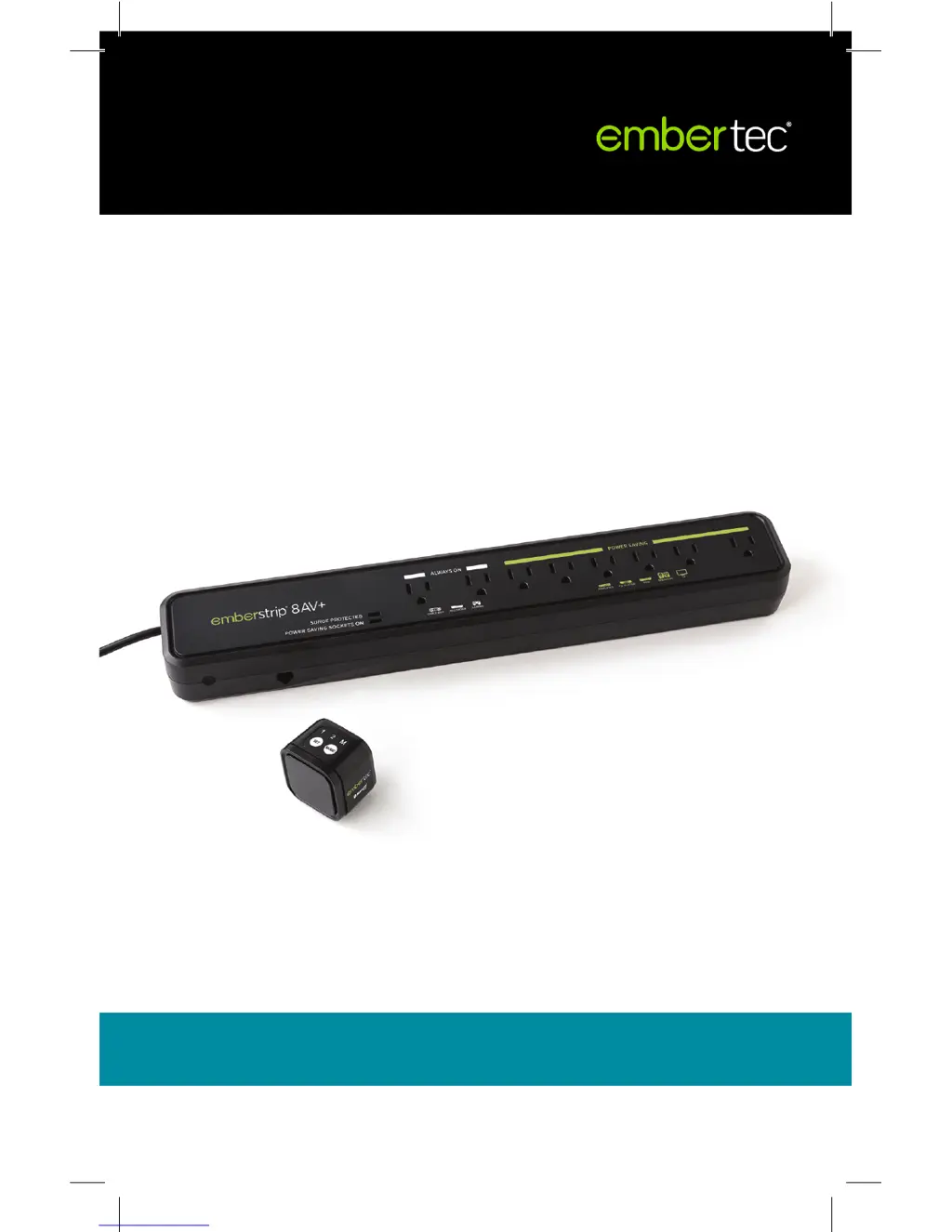
Embertec Emberstrip 8AV plus - User Manual

Embertec Emberstrip 8AV plus
20 pages
Print Icon
To Next Page IconTo Next Page
Loading...
User manual
PATENTS GRANTED AND PATENTS PENDING
V10
Emberstrip® 8AV+
With Bluetooth® Smart Sensor
ESUSAV8-ET-10B

Questions and Answers

  • C
    Christian PenningtonAug 2, 2025
    Why does my Embertec Audio & Video Accessories TV keep turning off after 1 hour?
    • W
      wrightbrittneyAug 3, 2025
      The Bluetooth® Smart Sensor's default setting for Active Powerdown® is 60 minutes. To change this, refer to the instructions on how to change the settings for Active Powerdown® to either 1 or 2 hours.
  • M
    Mrs. Amy JensenAug 8, 2025
    What to do if Bluetooth Smart Sensor flashes frequently on Embertec Emberstrip 8AV plus Audio & Video Accessories?
    • K
      kent63Aug 8, 2025
      Frequent flashing of the Bluetooth® Smart Sensor may indicate unwanted infrared activity in the area. You can: * Check for nearby infrared devices like compact fluorescent lights, computers, mobile phones, and other portable consumer electronics. If possible, relocate these devices. * Move the Bluetooth® Smart Sensor to a different location within the line of sight and normal operating range of your Audio Visual (AV) equipment remote controls.
  • C
    Carrie JordanAug 14, 2025
    How to fix Embertec Emberstrip 8AV plus Audio & Video Accessories not powering down equipment in standby mode?
    • S
      sharonglennAug 15, 2025
      If your Embertec Emberstrip® 8AV+ isn't powering down your equipment in standby mode, ensure the equipment is plugged into the Power Saving socket, not the Always On socket. If the issue persists, the Embertec Emberstrip® 8AV+ may not have detected that the equipment is in standby. Try switching on the Audio Visual (AV) component again, waiting 10 seconds, and then switching it off again, ensuring all appliances are in standby mode.
  • M
    Mary RichardsonAug 21, 2025
    What to do if Embertec Audio & Video Accessories has stopped working?
    • R
      Renee MckayAug 21, 2025
      If your Embertec Emberstrip® 8AV+ has stopped working, unplug all appliances connected to it and then unplug the Emberstrip® from the wall socket. After that, reconnect everything.
  • C
    Caroline CarpenterAug 27, 2025
    How to fix Bluetooth Smart Sensor not operating on Embertec Emberstrip 8AV plus Audio & Video Accessories?
    • B
      Brian ParkerAug 27, 2025
      If the Bluetooth® Smart Sensor is not operating, remove the Embertec Emberstrip® 8AV+ from the power point, unplug the Bluetooth® Smart Sensor cable, plug it back into the unit, and then plug the Embertec Emberstrip® 8AV+ back into the power point.

Summary

Quick connection guide

Setting up the Embertec Emberstrip 8 AV+

Step-by-step instructions for initial setup and connection of the Embertec Emberstrip® 8AV+.

Quick Bluetooth guide

Quick operation guide

Turning AV Equipment On;Off

Instructions on how to turn connected Audio Visual equipment on and off using the Emberstrip® and sensor.

Active Powerdown Operation

Explains how Active Powerdown® automatically shuts off power after detecting no remote control use.

Using your Audio Visual equipment

Important Safety and Usage Information

General Safety Precautions

Essential safety guidelines for operating the Embertec Emberstrip® 8AV+ and its components.

Power Saving Functions Explained

Standby and Active Powerdown

Details on Standby Powerdown and Active Powerdown®, including default settings and how they work.

Connecting your mobile device

Pairing the Bluetooth Smart Sensor

Step-by-step guide to pairing your mobile device with the Bluetooth® Smart Sensor using the emberconnect™ app.

Changing settings for Active Powerdown

Adjusting the Active Powerdown Timer

Instructions on how to change the Active Powerdown® timer between 1 and 2 hours using the sensor or app.

MusicMode settings

BedroomMode settings

Troubleshooting guide

Common Issues and Solutions

A guide to identifying and resolving common problems encountered with the Embertec Emberstrip® and Smart Sensor.

Limited warranties

Embertec Emberstrip 8AV plus Specifications

General IconGeneral
Product TypePower Strip
Number of Outlets8
Surge ProtectionYes
USB PortsNo
Remote ControlNo
Master OutletYes
Controlled Outlets4
Energy Saving TechnologyYes
Maximum Load per Outlet10A
Total Maximum Load10A
Cable Length1.5m
Overload ProtectionYes
MaterialPlastic

Related product manuals