Problem To check
The Embertec Emberstrip® 8AV+
is not receiving power.
• The Protected light is on.
The Embertec Emberstrip® 8AV+
is not powering down my
equipment in standby mode.
• Ensure the equipment is plugged
into the Power Saving socket, not
into the Always On socket.
• The Embertec Emberstrip® 8AV+ has not
detected the equipment is in standby. Please
repeat this process by switching on the
Audio Visual (AV) component again, waiting
10 seconds, and switching off again making
sure all appliances are in standby mode.
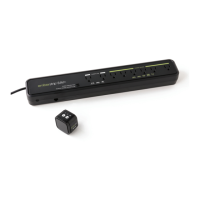
The Bluetooth® Smart Sensor
is not operating.
• Remove the Embertec Emberstrip® 8AV+ from
the power point, unplug the Bluetooth® Smart
Sensor cable and then plug it back into the
unit and plug the Embertec Emberstrip® 8AV+
back into the power point.
The Bluetooth® Smart Sensor
flashes frequently during
normal operation.
• This may be an indication of unwanted infrared
activity in the area. Please check the immediate
area for infrared devices that maybe interfering
with the Embertec Emberstrip® 8AV+, such
as compact fluorescent lights, computers,
mobile phones, and other portable consumer
electronic devices. If possible relocate these
interfering devices.
• Move the Bluetooth® Smart Sensor to another
location that is within line of sight and normal
operation range of your Audio Visual (AV)
equipment remote controls.
The Protected LED on the main
body of the Embertec Emberstrip®
8AV+
is on, but my Bluetooth®
Smart Sensor LED does not work
(when plugged in and powered on).
• Please check your Bluetooth® Smart Sensor
connection to the Embertec Emberstrip® 8AV+ by:
• Ensuring the Bluetooth® Smart Sensor cable
is safely and securely connected to the side of
the Embertec Emberstrip® 8AV+.
The Embertec Emberstrip® 8AV+
has stopped working.
• Unplug all the appliances connected into the
Embertec Emberstrip® 8AV+ adapter and then
unplug from the wall socket. Then reconnect
everything again.
The TV keeps turning off
after 1 hour.
• The Bluetooth® Smart Sensor default setting
for Active Powerdown® is 60 minutes.
• Please see Changing settings for Active
Powerdown® to change Active Powerdown®
to 1 or 2 hours.
Troubleshooting guide
17


 To Next Page