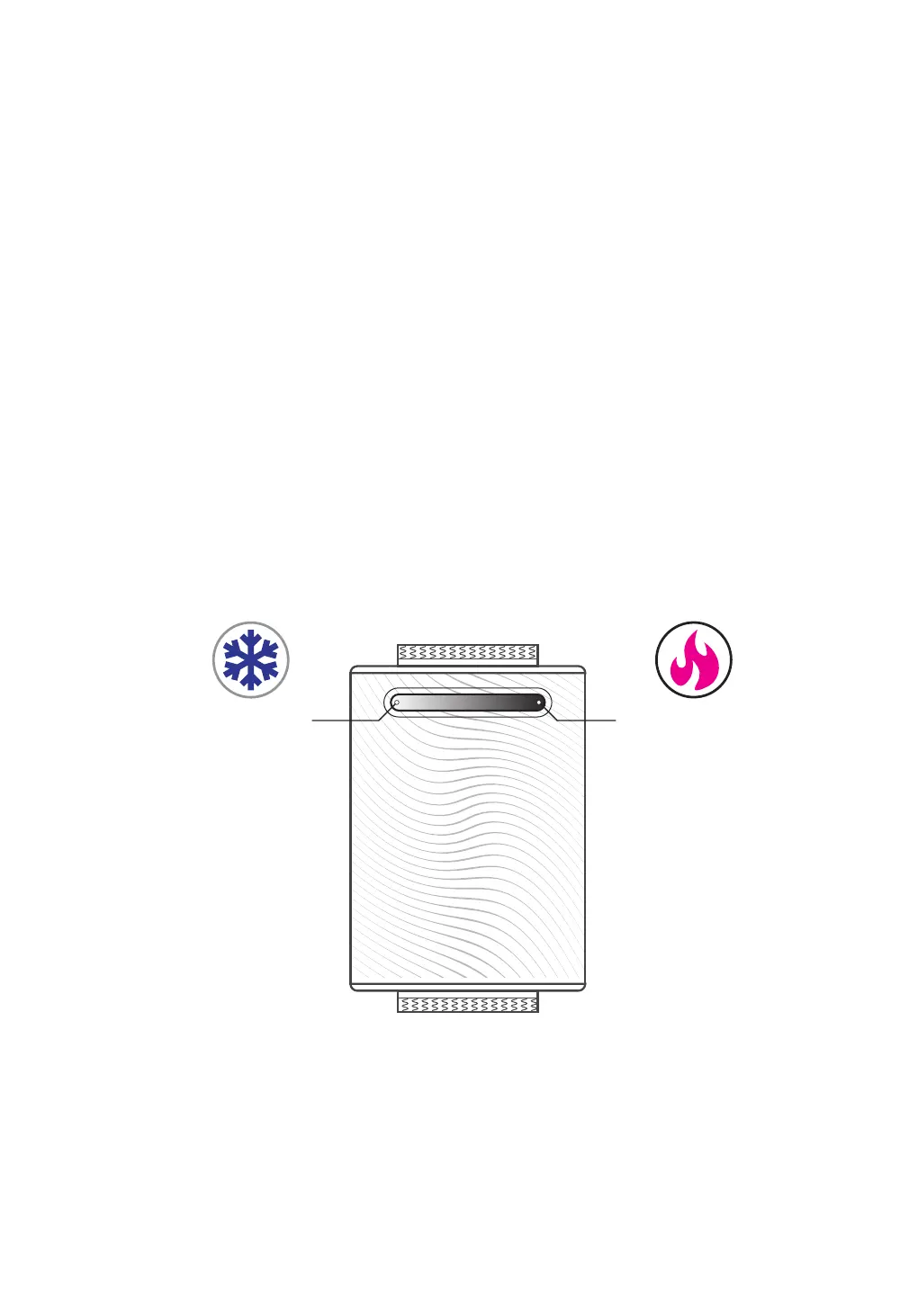
Lower the
temperature?
Click here.
Raise the
temperature?
Click here.
6. ADJUSTING THE TEMPERATURE
There are multiple levels of warming and cooling.
We've set the temperature to a level that feels best
to most users, but you should adjust the level to find
what feels most pleasant to you.
To adjust the temperature level, click the left or
right side of the light bar.
For even more precise calibration, you can hold
down the left side of the light bar to lower the
temperature, or the right side to raise it.
During warming, the light bar will glow red. During
cooling, it will glow blue.


 To Next Page