II. Download the Embrava Connect software
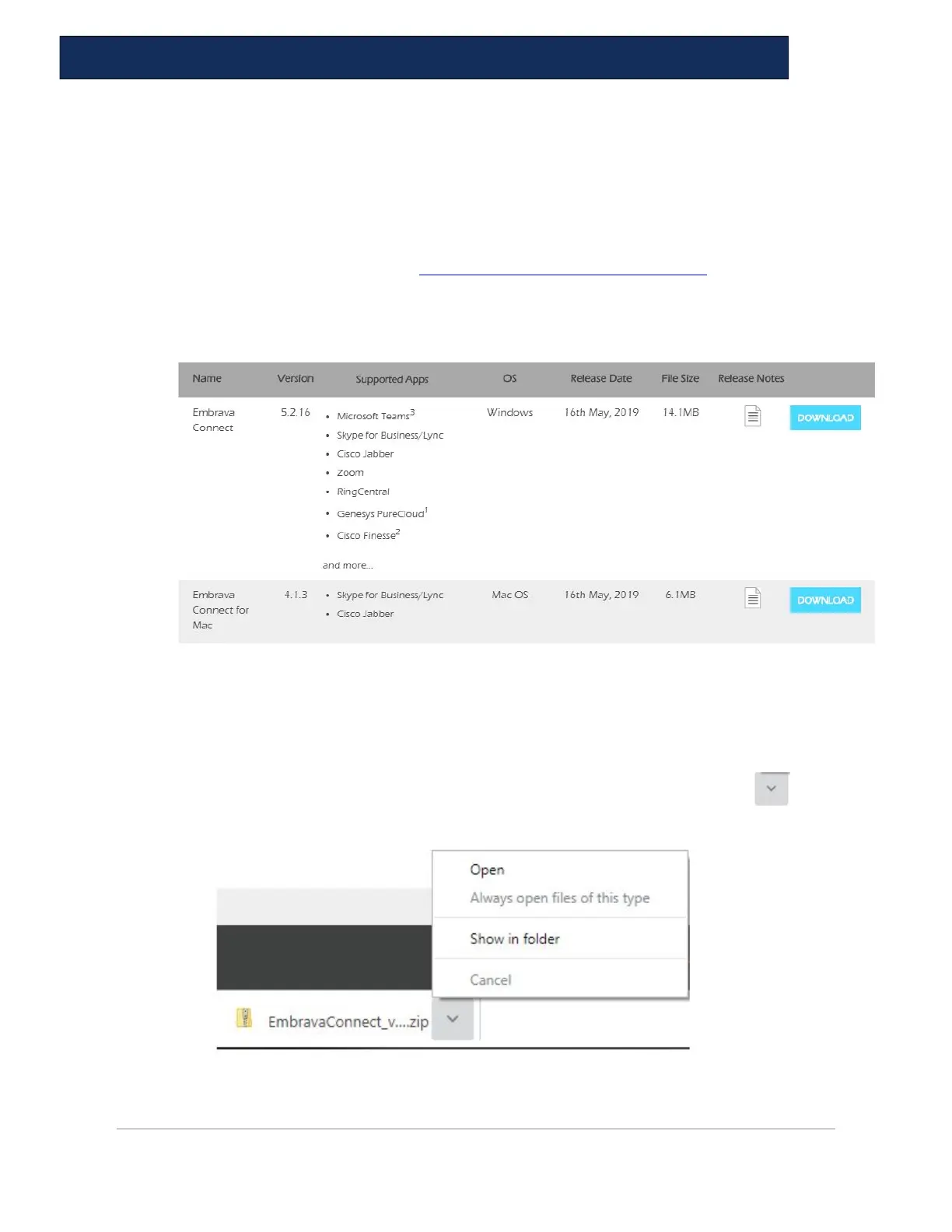
1. Follow the steps below to ensure your Blynclight is set up properly. Download the latest
Embrava Connect software from https://embrava.com/pages/software. Choose the
Windows or Mac version, depending on your computer.
2. Click on the blue Download box,
III. Install Embrava Connect
3. The file will be put in your download folder. If you click on the arrow, below
you will see the menu shown. Select Open. You can also just click on the file.


 To Next Page