Table 7 M600, M1200, M2400, and Avamar Business Edition (S2400) node front panel
components (continued)
Feature Description
l
NIC activity LEDs - One LED per NIC on the back panel. Network
link detected = LED solid on. Network activity = LED blinking
according to activity.
l
System Cold Reset Button - Reboots and reinitializes the node.
l
System Status LED - Green or amber LED showing system health.
Solid green indicates the node is booted and ready. All other
states indicate a level of degraded status, which should be
reported through Avamar systems.
l
Power Button with Integrated LED - Toggles system power on and
off.
l
Hard Drive Activity LED - Indicates drive activity from onboard
controllers.
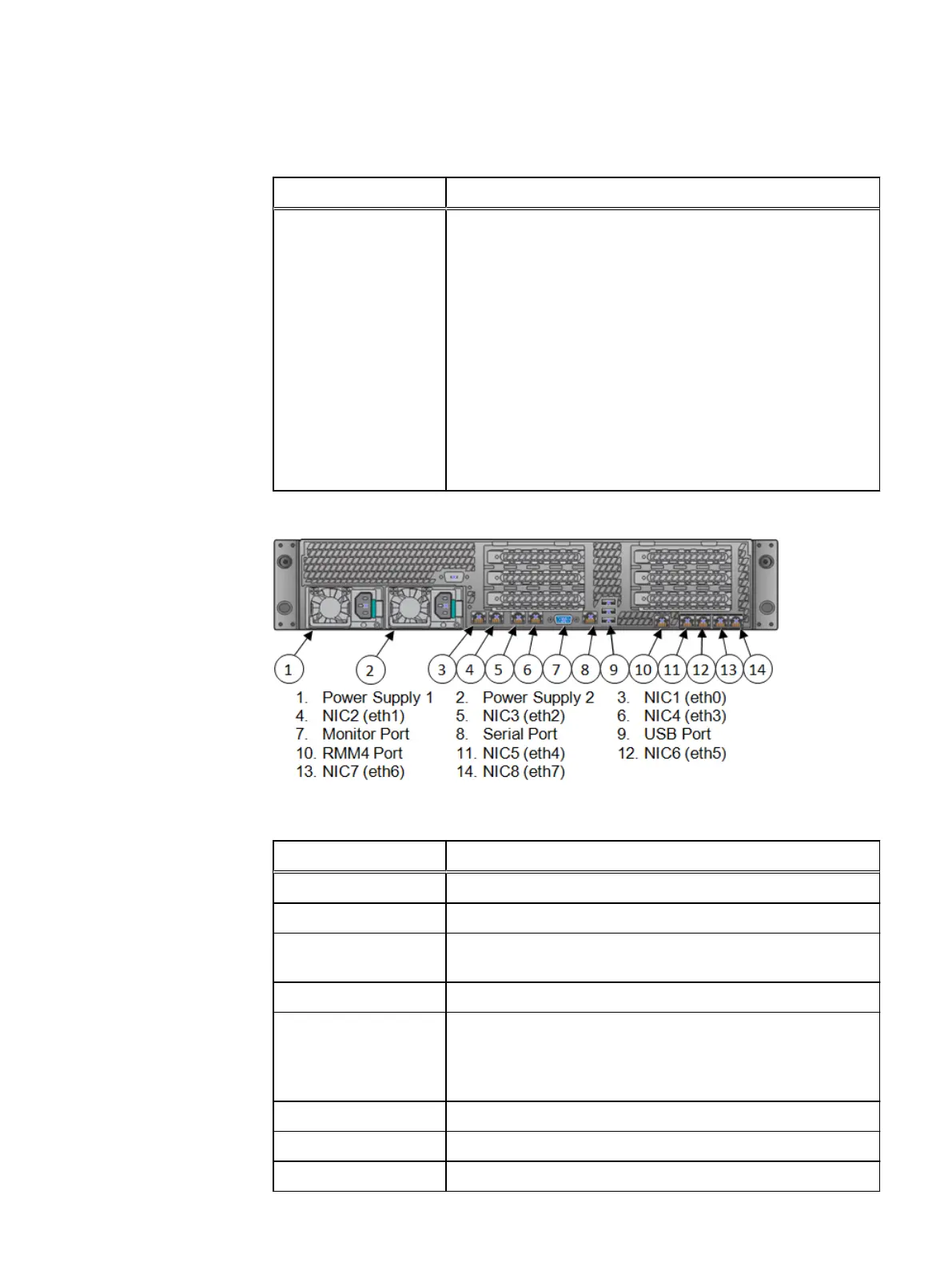
Figure 3 M600, M1200, M2400, and Avamar Business Edition (S2400) Node Rear View
Table 8 M600, M1200, M2400, and Avamar Business Edition (S2400) node rear panel components
Feature Description
Power supply #1 750W power supply.
Power supply #2 750W power supply.
Fiber optic ports Dual Qlogic 8 Gbps fibre channel ports - connects a tape library or
VTL to the node.
NICs 1-8 10/100/1000baseT GbE ports.
10GbE ports Dual 10Gb Ethernet ports:
l
Left: NIC 9 (eth8)
l
Right: NIC 10 (eth9)
Monitor port Connects a VGA display to the system.
Serial port Connects a serial device to the system.
USB ports Connects a USB device to the system.
Hardware Specifications
M600, M1200, M2400, and Avamar Business Edition (S2400) Nodes 23


 To Next Page