M600, M1200, M2400, and Avamar Business Edition (S2400) Nodes
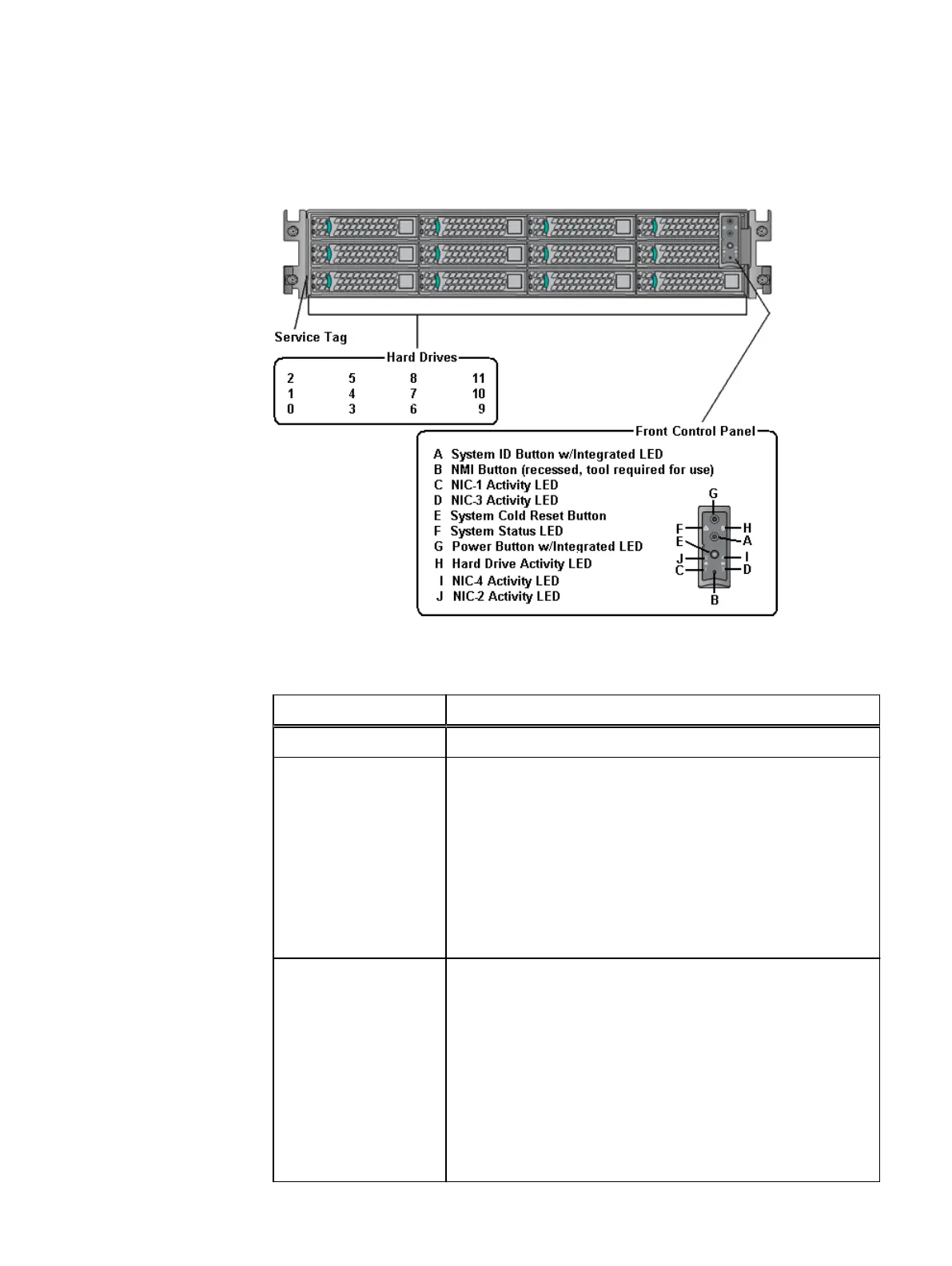
Figure 2 Front View
Table 7 M600, M1200, M2400, and Avamar Business Edition (S2400) node front panel
components
Feature Description
Service tag A pull-out label for serial number and other system information.
Hard drives Hot swappable 3.5” hard drives:
l
M600 node - Six in the 0 through 5 drive locations. All others are
blank.
l
M1200 node - Six in the 0 through 5 drive locations. All others
are blank.
l
M2400 node - 12 in the 0 through 11 drive locations.
l
Avamar Business Edition (S2400) node - Eight in the 0 through 7
drive locations. All others are blank.
Front control panel A set of buttons, controls, and indicators:
l
System ID button - Use to locate a particular node in the rack.
When pushed, the LED on the front and the system status
indicator on the back panel flash blue until the button is pushed
again.
l
Non-Maskable Interrupt (NMI) button - Use to troubleshoot
software and device driver errors. Press by using the end of a
paper clip. When pressed, it puts the node in a halt state and
issues the NMI. Use this button only if directed to do so by
qualified support personnel.
Hardware Specifications
22 EMC Avamar Data Store Gen4S Customer Installation Guide


 To Next Page