4
2 Light Tube
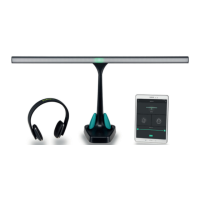
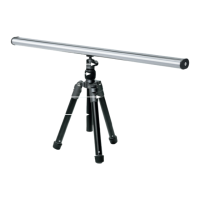
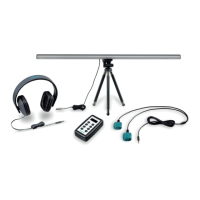
Connect the Light tube into the socket on top of the controller indicated with Light.
When you turn on the controller, a light dot will apear on the Light Tube. When you
press
, the light dot on the Light Tube will start to move back and forth. By pressing
once more, the light dot will pause as well as other modalities that are connected
to the controller.
Speed
To adjust the speed of the Light Tube: Press on the
or next to Speed.
Color
Adjust the color of the light dot by pressing
two times so that the display reads
Color. Press on
or until the preferred color is selected. You can also choose for
random colors by selecting the Random color option.
Light Tube Mode
The Light Tube has two dierent modes. In Sweeping mode the light dot will move
back and forth gradually. In Blinking mode, the light dot will blink from the left end to
the right end of the Light Tube.
Change the mode by pressing
three times so that the display reads Light. Press
or until the preferred mode is selected.
Width
The light dot can be widened or narrowed by pressing
four times so that the dis-
play reads Width. Press
or to adjust the width.
Brightness
Adjust the brightness of the light dot by pressing
ve times so that the display
reads Bright. Press
or to increase or decrease the brightness of the light dot.


 To Next Page