5
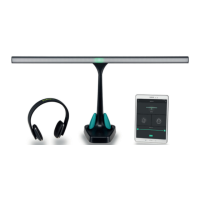
3 Headphone
Connect the Headphone into the socket on the top of the controller indicated with
Headphone. When you press
, you will hear sound comming through the headpho-
ne. By pressing
again, the sound will pause, as well as the other modalities that
are connected to the controller.
Speed
Adjust the speed of the sound stimuli by pressing
or next to Speed.
Volume
Door op de controller bij Volume op
or te drukken, kunt u het volume van het
geluid wijzigen. Dit kan ook tijdens het gebruik.
Irregular sound
You can choose for a regular or irregular sound stimuli. Press
six times so that the
display reads Audio. Press
or until the preered sound mode is selected; Regu-
lar for regular stimuli and or Random for irregular stimuli.
Pitch Height
To adjust the pitch height of the auditive stimuli: Press
seven times so that the
display reads Tone. Press
or to descrease or increase the pitch height.


 To Next Page