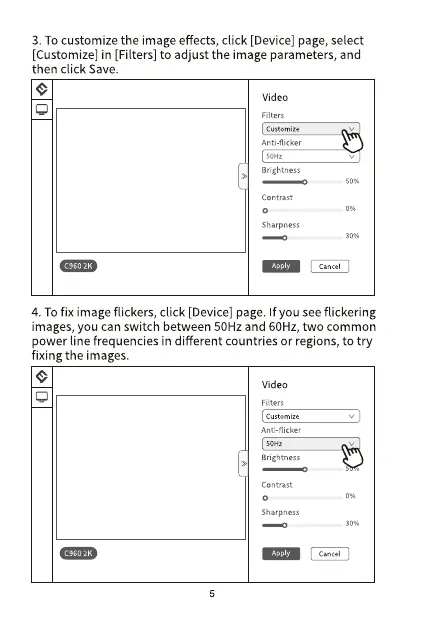
3. TOcustomize the image effects, click [Device] page, select
[Customize] in [Filters] to adjust the image parameters, and
then click Save.
Video
Filters
Customize
Anti-flicker
SOHz
Brightness
Contrast
4. To fix image flickers, click [Devicel page. If you seeflickering
images, you can switch between 50Hz and 60Hz,two common
power line frequencies in different countries or regions, to try
fixing the images.
Video
Anti-flicker
SOHz
Brightness
Contrast
Sharpness


 To Next Page