How to Use the Microphone
Select EMEETmicrophone in [Settings] - [Audio] - [Microphones]
of the software.
How to Use EMEETLINK
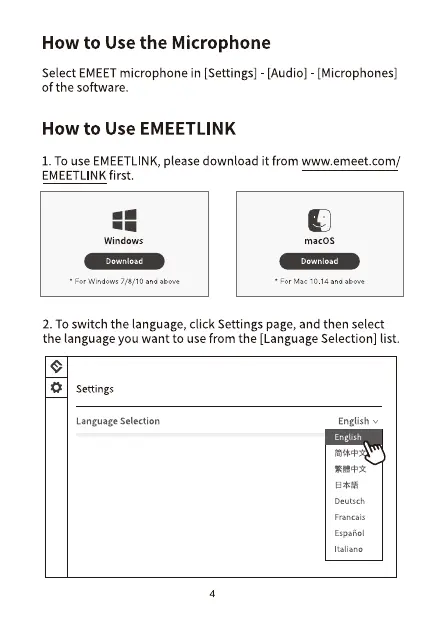
1. TOuse EMEETLINK,please download it from www.emeet.com/
EMEETLINKfirst.
Windows
Download
• For Windows 7ld/ 10 and
macOS
Download
• 14
2. To switch the language, click Settings page, and then select
the language you want to use from the [Language Selection] list.
Settings
Language Selection
4
English
English
Deutsch
Francais
Espanol
Italiano


 To Next Page