Need help?
Do you have a question about the Emerson CR282P and is the answer not in the manual?
Instructions for safe disposal of an old refrigerator, emphasizing child entrapment.
Warning about the risk of child entrapment and steps to prevent it when disposing of the unit.
A caution against using extension cords for the refrigerator.
Ensuring the refrigerator is level for proper door sealing and cooling performance.
Guidance on proper placement for airflow to prevent compressor strain.
Details on the required power source and safe use of extension cords.
Important notes on electrical connections and unplugging the appliance safely.
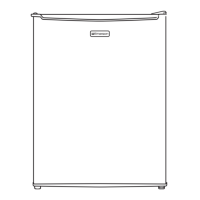
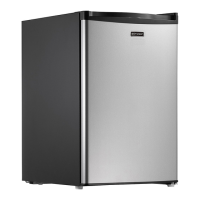
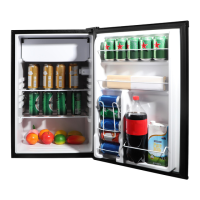
Identification of external components like handle, door, and leveling feet.
Description of the refrigerator door's black board functionality and accessories.
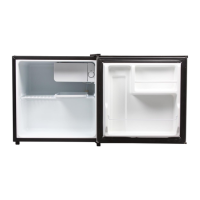
Overview of internal areas such as chiller, shelves, and storage.
Details on the thermostat control dial and the drip tray.
Specific storage areas like bottle shelf and soda can storage.
The seal around the door that prevents air leakage.
Guidance on using appropriate markers for the blackboard door surface.
Instructions for cleaning the blackboard door to maintain its condition.
Procedure to remove permanent ink marks using dry erase marker.
Warning against using tools that can damage the surface.
Instructions on how to use and adjust the thermostat control dial.
Step-by-step guide for defrosting the refrigerator and chiller compartment.
Step-by-step guide on how to reverse the refrigerator door swing direction.
Important note on tilting the appliance during door reversal to avoid damage.
Common reasons why the refrigerator may not turn on or function.
Troubleshooting steps if food is freezing unexpectedly.
Reasons for inadequate cooling and how to address them.
Identifying and resolving common noises the refrigerator might make.
Causes and solutions for condensation inside the refrigerator.
Troubleshooting tips for doors that do not seal correctly.
Information on the duration, coverage, and exclusions of the product warranty.
Details for obtaining service, assistance, and customer support.
This document is an owner's manual for a compact refrigerator with a blackboard door, specifically models CR282B, CR282P, and CR282T, manufactured by Emerson. The manual provides essential information for the safe installation, operation, and maintenance of the appliance, emphasizing user safety and proper disposal.
The Emerson compact refrigerator is designed for cooling and storing food and beverages in a compact space, making it suitable for dorms or household use. It features a chiller compartment for items requiring lower temperatures, though it is not suitable for freezing ice cream or popsicles. A unique aspect of this refrigerator is its blackboard door, which allows users to write notes or drawings directly on the door surface using dry-erase markers. The appliance operates on a 110V-120V, 60Hz power supply and requires proper grounding to minimize the risk of electric shock. The temperature is controlled via a thermostat dial located inside the chiller compartment, offering adjustable cooling levels. Defrosting is a manual process, requiring the user to turn off the unit and remove food items.
Installation and Setup: Before initial use, the refrigerator must be properly installed and leveled to ensure optimal performance and proper door sealing. Leveling can be achieved by adjusting the leveling legs. Adequate ventilation is crucial, requiring the refrigerator to be placed approximately 5 inches from a wall to allow proper airflow to the compressor. It should not be placed near heat sources or open flames. The appliance must be plugged into a grounded 3-prong electrical outlet. If a 2-prong outlet is present, it is the user's responsibility to have it replaced with a properly grounded 3-prong outlet. The use of an extension cord is generally not recommended, but if necessary, a specific type of grounding-type 3-wire extension cord with appropriate electrical rating must be used.
Temperature Control: The thermostat control dial, located in the upper right corner of the chiller compartment, manages the internal temperature. Upon first turning on the unit, it is recommended to set the dial to "3" and allow 24 hours for the refrigerator to reach the correct cooling temperature before adding food. Users can adjust the dial towards "1" for less cooling or towards "6" for more intense cooling, with "3" being a general recommendation for home or office use. Turning the dial to the "OFF" position stops the cooling cycle but does not completely shut off power to the unit.
Blackboard Door Feature: The refrigerator's door doubles as a blackboard, allowing for creative expression or practical note-taking. It comes with a dry-erase marker pen with a magnet and a pen cover with an eraser. Only dry-erase marker pens specifically designed for blackboards should be used. Permanent ink pens or markers, ballpoint pens, pencils, or sharp metal-end objects should never be used on the blackboard surface, as they can cause permanent damage.
Door Reversal: The refrigerator door's hinge position can be reversed to open from either the left or right side, offering flexibility in placement. This process involves carefully removing and reattaching the door and its hinges, and it is recommended to have assistance to avoid injury or damage. The appliance needs to be tilted backward during this procedure, but never laid completely flat to prevent damage to the coolant system.
Cleaning: Regular cleaning of the refrigerator is essential for hygiene and optimal performance. The interior should be cleaned with a soft, damp cloth and a mild soap. Industrial-grade solvents or abrasive chemicals should not be used. The blackboard surface should be cleaned regularly with a damp cloth. To remove oil buildup from erased marker, a diluted detergent liquid (approximately 1:90) can be used. Strong acidic, alkaline, or corrosive liquids like acetone should be avoided on the blackboard surface. If a permanent ink marker is accidentally used on the blackboard, dry-erase marker ink can be used as a solvent by scribbling over the permanent mark and wiping it away with a paper towel, repeating if necessary.
Defrosting: Defrosting is a manual process. When excessive frost or ice accumulates in the chiller, the thermostat control dial should be turned to the "OFF" position, and the unit unplugged. All food items from both the chiller and refrigerator compartments should be removed and stored in a full-size refrigerator to keep them fresh. The chiller door should be left open to allow the frost to melt. The melted frost should be cleaned and wiped out with a cloth. Sharp tools should never be used to remove frost, as this can damage the unit. After defrosting, the thermostat control dial should be returned to its original position, and food can be returned once the cooling temperature is reached. If significant water damage is a concern during defrosting, placing a towel under the refrigerator or moving it outdoors is advised.
General Maintenance and Safety: Before cleaning or making repairs, the refrigerator should always be unplugged. Servicing is recommended to be performed by a qualified individual. Children should not be allowed to climb, stand, or hang on the shelves or doors, as this can cause injury or damage. Fingers should be kept clear of door clearances, especially when children are nearby. The refrigerator should not be left in extreme cold or warm temperatures. Heavy items should not be placed on top of the refrigerator. The unit should never be installed in areas with high moisture or where water can splash. Spoiled food should not be consumed, especially if stored in an out-of-order refrigerator.
Disposal: Proper disposal of an old refrigerator is crucial to prevent child entrapment. Before discarding, the door should be removed, and shelves left in place to prevent children from easily climbing inside.
 General
| Type | Compact Refrigerator |
|---|---|
| Capacity | 2.8 cubic feet |
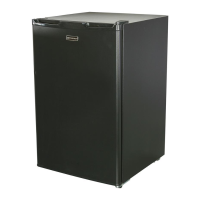
| Color | Black |
| Door Swing | Reversible |
| Defrost Type | Manual |
| Voltage | 115V |
| Energy Star Certified | No |
| Shelves | 2 |


 To Next Page