8
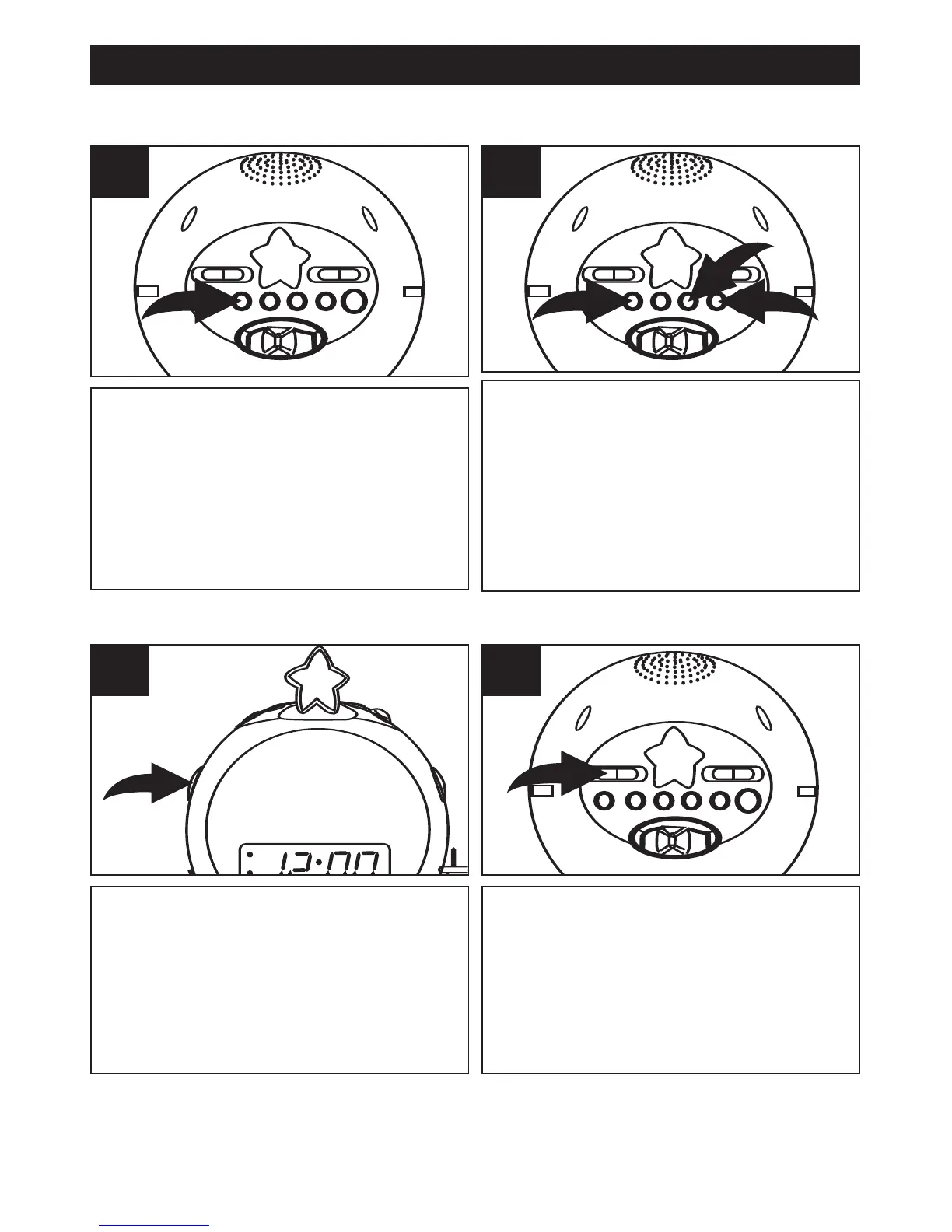
Press and hold the ALARM button.
1
While holding the ALARM button ❶,
press the HOUR
❷ and MINUTE ❸
buttons to advance the time until the
desired alarm time is shown on the
display. Make sure the AM indicator
is lit if the time is AM and not lit if
the time is PM.
2
TO SET OR RESET THE ALARM TIME
Set the alarm time as previously
instructed. Select a radio station
and make sure the VOLUME
control is set as desired.
1
Slide the
Function
switch to the
AUTO position. When the actual
time matches the selected preset
alarm time, the radio automatically
turns on for one hour and then
shuts off.
2
TO SET THE ALARM TO WAKE TO RADIO
Note: See next page to shut off the alarm and for the Snooze feature.
OPERATION (CONTINUED)



 To Next Page