EasyManua.ls Logo

Emerson ER108002 - User Manual

Emerson ER108002
22 pages
Print Icon
To Next Page IconTo Next Page
Loading...
OWNER'S MANUAL
ER108002
Visit our web site at www.emersonradio.com
UNAUTHORIZED MODIFICATIONS TO THIS DEVICE
COULD VOID MANUFACTURER'S WARRANTY
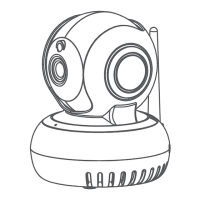
1080P HD Wireless Security
Camera with Pan/ Tilt/ Zoom
and Temperature Sensor

Questions and Answers

  • D
    Debra AdamsAug 4, 2025
    What to do if Emerson Security Camera shows 'Device Already Added'?
    • C
      charlene11Aug 4, 2025
      If you see the error message 'Device Already Added' on your Emerson Security Camera, it's because the camera is designed for a single administrator account. To resolve this, you can: * Add the device using the same login information as the account that has already paired with the device. * Ask the user of the paired account to share camera access with you. * Unpair the device from the existing account.
  • K
    Kyle OrtizAug 11, 2025
    Why is the red indicator light on my Emerson Security Camera remaining on?
    • S
      srobersonAug 11, 2025
      A red indicator light on your Emerson Security Camera usually means there's a power failure or the network isn't connected. Here's what you can do: 1. Make sure the Wi-Fi password you entered is correct. 2. Check that your network is properly connected to the internet. 3. Ensure the camera is within the range of your Wi-Fi network.
  • L
    lisasparksAug 18, 2025
    How to fix Emerson ER108002 when the green light is flashing?
    • T
      Terry HannaAug 18, 2025
      A flashing green indicator light on your Emerson Security Camera indicates a failed connection to the server. To fix this: * Ensure the Wi-Fi signal is strong enough and that there is enough bandwidth for a stable connection. * Move the camera closer to the Wi-Fi hotspot or increase the bandwidth of your network. * Make sure the camera isn't experiencing interference from other 2.4GHz signals.
  • S
    Sharon CobbAug 27, 2025
    What to do if Emerson ER108002 says 'Server unreachable'?
    • C
      Christopher GonzalezAug 27, 2025
      If your Emerson Security Camera displays a 'Server unreachable' error message, check your firewall settings or try connecting to another network.

Summary

Create and Login to Your Account

Download and Install the App

Guide to obtaining and installing the "Emerson Home Cam" mobile application.

Create Your Account and Login

Camera Setup

Option 1: Add by Scanning QR Code

Instructions for pairing the camera using its unique QR code.

Option 2: Add by Wi-Fi

Alternative method to connect the camera using Wi-Fi network credentials.

Real-Time Viewing

Video Recording and Stopping

Starting and stopping video recording directly from the app.

Settings

Motion Detection & Temperature Settings

Configuring motion detection sensitivity and temperature alarms.

Troubleshooting Guide

Failed Wi-Fi Setup

Steps to resolve issues when the camera fails to connect to Wi-Fi.

Device Already Added Error

Solutions for the "Device Already Added" error message.

Red Indicator Light Remains

Troubleshooting steps for a constantly illuminated red indicator light.

Green Indicator Light Flashes

Diagnosing issues indicated by a flashing green indicator light.

Account Creation;Login Issues

Assistance for problems encountered during user account setup and login.

Server Unreachable Error

Steps to resolve server connectivity problems and firewall settings.

Emerson ER108002 Specifications

General IconGeneral
BrandEmerson
ModelER108002
CategorySecurity Camera
LanguageEnglish