EasyManua.ls Logo

Emerson EWC1302 - User Manual

Emerson EWC1302
32 pages
Print Icon
To Next Page IconTo Next Page
Loading...
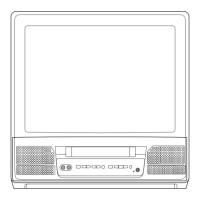
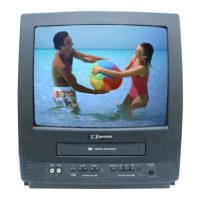
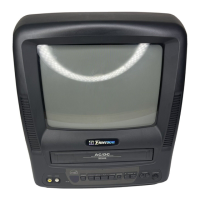
COLOR TV/VCR
EWC1302 (13 inch)
EWC1902 (19 inch)
OWNER’S
MANUAL
As an ENERGY STAR
Partner, our company has
determined that this product meets
the E
NERGY STAR guidelines for
energy efficiency. E
NERGY STAR is
a U.S. registered mark.
®
®
®
If you need additional assistance for set-up or operating
after reading owner’s manual, please call
TOLL FREE : 1-800-256-2487.
Please read before using this equipment
INSTRUCCIONES EN ESPAÑOL INCLUIDAS.
This Owner’s Manual is made of
recycled paper.
“EMERSON AND THE G-CLEF LOGO ARE REGISTERED TRADEMARKS
OF EMERSON RADIO CORP., PARSIPPANY, NEW JERSEY, U.S.A.

Questions and Answers

  • T
    Tonya LeeSep 8, 2025
    Why are the captions misspelled on my Emerson EWC1302?
    • Z
      zclarkSep 8, 2025
      If your Emerson TV/VCR is showing captions that are misspelled, it could be because you are watching a live broadcast, and spelling errors made by the closed captioning production company may pass through uncorrected. A prerecorded program will not show any misspelled words because of the normal time available for editing the captions.
  • M
    Ms. Jennifer MckenzieSep 9, 2025
    Why are captions delayed on my Emerson TV VCR Combo?
    • M
      Michael PenaSep 10, 2025
      Captions that are delayed a few seconds behind the actual dialogue are common for live broadcast on your Emerson TV VCR Combo. Most captioning production companies can display a dialogue to a maximum of 220 words per minute. If a dialogue exceeds that rate, selective editing is used to insure that the captions remain up-to-date with the current TV screen dialogue.
  • S
    Shannon RandallSep 12, 2025
    Why are captions scrambled on my Emerson EWC1302 screen?
    • C
      Christy KelleySep 12, 2025
      Interference caused by buildings, power lines, thunderstorms, etc. may cause scrambled or incomplete captions to appear on your Emerson TV VCR Combo.
  • D
    Dylan BeanSep 13, 2025
    Why are closed captions missing on my Emerson EWC1302 TV VCR Combo?
    • M
      Misty GoodmanSep 14, 2025
      Broadcasters may at times use a time compression process to speed up the actual program so that additional advertising time can be given. Since the decoder cannot read the compressed information, captions will be lost on your Emerson TV VCR Combo.
  • T
    Tammie SilvaSep 15, 2025
    Why don't prerecorded tapes show captions on my Emerson EWC1302 TV VCR Combo?
    • W
      wileycoltonSep 15, 2025
      The video tape was either an illegal copy or the tape duplicating company accidentally left out the captioning signals during the copying process. This explains why your prerecorded video tape does not show any captions, even though the tape box mentions it being closed captioned on your Emerson TV VCR Combo.
  • C
    Carrie DanielsSep 18, 2025
    Why is there a black box on my Emerson TV VCR Combo screen?
    • S
      stacy05Sep 18, 2025
      You are in the TEXT mode. Select CAPTION mode to CAPTION [OFF] on your Emerson TV VCR Combo.

Summary

Important Safeguards

General Safety and Handling

Essential read-before-use safety instructions and guidelines for appliance care and handling.

Installation and Power Safety

Guidelines for safe installation, ventilation, power sources, and cord protection.

Antenna Grounding and Lightning Protection

Proper grounding for outdoor antennas and protection against lightning surges.

Operational Hazard Prevention

Warnings against overloading, object entry, liquid spills, and improper servicing.

Precautions and Setup

Location and Environmental Precautions

Recommendations for placing the TV/VCR to avoid heat, dust, moisture, and vibration.

Electrical Shock and Fire Hazards

Critical warnings and FCC compliance information to prevent electrical hazards and interference.

Antenna and Cable Connections

Step-by-step guide for connecting external antennas and cable systems.

Initial Channel Setup

Guide for scanning and memorizing available TV channels for the first time.

Features and Controls

Product Features Overview

Highlights key functionalities such as remote control, bilingual menus, and special playback/recording modes.

Supplied Accessories

Lists essential items included with the TV/VCR, such as remote control, batteries, and antenna.

Front Panel and Remote Controls

Details buttons and functions on the TV/VCR front panel and the infrared remote control.

Rear Panel Connections

Identifies and explains the various input/output terminals located on the rear of the unit.

Setup and Customization

Clock Setup (Auto;Manual)

Instructions for setting the internal clock using automatic PBS broadcast or manual input.

Channel Management

Procedures for re-scanning channels and adding or deleting them from memory.

Language and Time Settings

How to select the display language and configure Daylight-Saving Time adjustments.

TV Operation Modes

Guides for watching TV programs, using Game Mode, and performing degaussing.

Advanced Video Functions

Picture Control Settings

Adjustments for Brightness, Contrast, Color, Tint, and Sharpness for optimal picture quality.

Closed Caption System

How to enable, disable, or select caption modes for viewing text information.

V-Chip Parental Controls

Setting up TV and MPAA ratings to block or filter inappropriate programming.

Playback Modes and Search

Instructions for normal, repeat, and rental playback, plus search and still picture functions.

Recording Functions

Guides for different recording speeds, OTR, timer recording, and program extension.

Maintenance and Troubleshooting

Unit Maintenance and Cleaning

Procedures for cleaning the exterior cabinet and internal video heads.

Troubleshooting Common Issues

Solutions for problems related to power, picture, sound, recording, and closed captions.

Product Specifications

Technical details including CRT, system, electrical requirements, and dimensions.

Cable Channel Designations

A chart showing common CATV channel designations and their corresponding TV display numbers.

Warranty Information

Limited Warranty Details

Information on warranty duration, parts, labor, exclusions, and service procedures.

Emerson EWC1302 Specifications

General IconGeneral
BrandEmerson
ModelEWC1302
CategoryTV VCR Combo
LanguageEnglish

Related product manuals