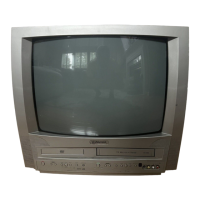
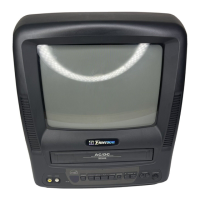
Why can't I go into record mode on my Emerson EWC19T4?
- NnmcculloughSep 9, 2025
If you cannot go into record mode on your Emerson TV VCR Combo, ensure the tape has an erase-prevention tab. If needed, cover the hole with plastic tape.
Why can't I go into record mode on my Emerson EWC19T4?
If you cannot go into record mode on your Emerson TV VCR Combo, ensure the tape has an erase-prevention tab. If needed, cover the hole with plastic tape.
What causes different color marks on the screen of my Emerson EWC19T4 TV VCR Combo?
Different color marks on the screen of your Emerson TV VCR Combo can be caused by magnetism from nearby appliances or geomagnetism. Try moving the unit away from other appliances, as it may repair itself automatically. For immediate repair, unplug the power cord and plug it back in after about 30 minutes to reset the unit.
Why is timer recording not possible on my Emerson EWC19T4 TV VCR Combo?
If timer recording is not working on your Emerson TV VCR Combo, ensure the timer recording is set correctly, the power is off, and the clock of the unit is set correctly.
How to fix no power on my Emerson EWC19T4?
If your Emerson TV VCR Combo has no power, ensure the power plug is properly connected to an AC outlet and that the power is turned on.
What causes bars on screen on Emerson TV VCR Combo?
If you are seeing bars on the screen of your Emerson TV VCR Combo, check for a broken wire if you are using an outside antenna. Also, check for local interference.
How to resolve picture rolling vertically, or lines/streaks on Emerson TV VCR Combo?
If the picture on your Emerson TV VCR Combo rolls vertically or has lines/streaks, try switching to a new channel to rule out station issues. If using an outside antenna, check for broken wires. Also, check for any local interference.
Why is the picture distorted or blurred on my Emerson TV VCR Combo?
If the picture on your Emerson TV VCR Combo is distorted or blurred, try switching to a new channel. If the issue persists, it could be station trouble. If using an outside antenna, check for broken wires.
How to improve poor reception and ghosts in picture on Emerson EWC19T4 TV VCR Combo?
To improve poor reception and eliminate ghosts in the picture on your Emerson TV VCR Combo, try switching to a new channel. Check if the antenna is connected to the terminal and inspect the outside antenna for broken wires. Also, check for any local interference.
How to fix no color on Emerson EWC19T4 TV VCR Combo?
If your Emerson TV VCR Combo has no color, try switching to a new channel to rule out station issues. Ensure the antenna is connected to the terminal on the back of the set and check any outside antenna for broken wires. Also, adjust the COLOR control.
What to do if picture is OK, but sound is poor on Emerson EWC19T4 TV VCR Combo?
If the picture on your Emerson TV VCR Combo is okay but the sound is poor, try switching to a new channel to rule out station issues. Also, check for any local interference.
Information regarding unauthorized copying and intellectual property rights.
Safety warnings and instructions for operating the laser system.
Guidelines on FCC regulations and potential radio frequency interference.
Identifies and describes controls on the unit's front panel.
Explains the functions of buttons on the remote control.
Process for choosing the on-screen menu language.
Instructions for setting the unit's clock automatically or manually.
Instructions for normal recording and skipping scenes.
Method to pause and resume recording to skip segments.
Information on playable disc formats and disc types.
Explains the structure of DVD, Audio CD, and MP3 discs.
Solutions for common issues in TV/VCR operation.
Instructions for cleaning the unit's cabinet surfaces.
Information on the automatic cleaning cycle for video heads.
| Screen Size | 19 inches |
|---|---|
| Resolution | Standard Definition |
| TV Type | CRT |
| Tuner | NTSC |
| Audio Output | Mono |
| VCR | Yes |
| Remote Control | Yes |
| Inputs | Composite |
| Outputs | Composite |
Loading...