8
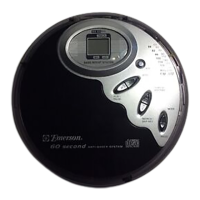
1.) HOLD Switch.
2.) DC 4.5V Input Jack – Connect an AC adapter (not included) to this
jack to use 120V 60Hz house current.
3.) LCD Display – Shows Track number, Playing time, Anti-Skip status,
Program, Repeat, Shuffle, and Intro modes.
4.) EQ Button – Press repeatedly to select SRR (Surround), ROCK, POP,
Flat EQs.
5.) FM Dial Scale.
6.) AM Dial Scale.
7.) TUNING Control.
8.) Function (FM/AM/CD-RADIO OFF) Selector Switch.
9.) STOP Button.
10.) Headphone Jack – Connect stereo headphones, included, to this
jack.
11.) SEARCH/SKIP FWD. Button.
12.) VOLUME Control – Raises or lowers the volume.
13.) MODE Button – Selects the playback mode: Repeat 1/All, Shuffle, or
Intro.
14.) BBS (Bass Boost) ON/OFF Switch - Switch ‘ON’ to increase bass
response.
15.) PROG. (Program) Button.
16.) SEARCH/SKIP REV. Button.
17.) PLAY/PAUSE Button.
18.) OPEN Switch – Slide to the right to unlock and open the CD door..
19.) Battery Compartment (on bottom cabinet).
20.) CD Door.
HD8115_B101205.p65 12/10/2005, 11:358







 To Next Page