EasyManua.ls Logo

Emerson LC320EM82 - User Manual

Emerson LC320EM82
72 pages
Print Icon
To Next Page IconTo Next Page
Loading...
WATCHING TVINTRODUCTION CONNECTION INITIAL SETTING OPTIONAL SETTING
INFORMATION
TROUBLESHOOTING
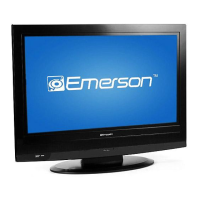
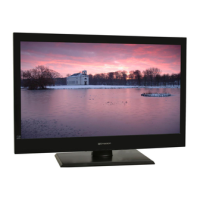
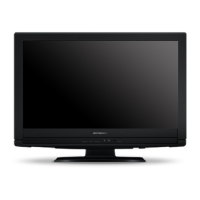
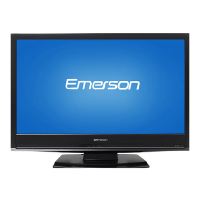
32” Digital / Analog
LCD TV
Owners Manual
LC320EM82
LC320EM81
LC320EM8A
IF YOU NEED ADDITIONAL ASSISTANCE WITH SETUP OR OPERATING AFTER
READING OWNER’S MANUAL, PLEASE CALL TOLL FREE 1-800-256-2487, OR
VISIT OUR WEB SITE AT http://www.EmersonAudioVideo.com
TO RECEIVE DIGITAL/ANALOG SIGNAL,
YOU MUST CONNECT ANTENNA.
TM
EMERSON AND THE G-CLEF LOGO ARE REGISTERED TRADEMARKS
OF EMERSON RADIO CORP., PARSIPPANY, NEW JERSEY, U.S.A.
HIGH-DEFINITION TELEVISION
© 2007 Funai Electric Co., Ltd.

Table of Contents

Other manuals for Emerson LC320EM82

Questions and Answers

  • D
    Dr. Johnathan StevensSep 10, 2025
    Why does the picture roll vertically on my Emerson LC320EM82 LCD TV?
    • G
      Gary SmithSep 10, 2025
      If the picture on your Emerson LCD TV rolls vertically, check the wire condition and connection if you are using an outside antenna. Electrical interference from nearby appliances may affect picture quality, so view other TV channels to see if the issue persists.
  • C
    Caleb JonesSep 12, 2025
    What causes different color marks on Emerson LCD TV screen?
    • M
      Melissa GloverSep 12, 2025
      If you notice different color marks on the screen of your Emerson LCD TV, try moving the unit away from nearby electric appliances. Turn off the power and wait 30 minutes before turning it back on. You can also view other TV channels to see if the problem is limited to the broadcasting station.
  • D
    Debbie JonesSep 14, 2025
    Why is the reception poor on some channels on my Emerson LC320EM82?
    • Q
      qhicksSep 14, 2025
      If you are experiencing poor reception on some channels with your Emerson LCD TV, check the antenna or cable connection to the main unit. Also, if an outside antenna is being used, check the wire condition and connection. Electrical interference from nearby appliances may affect picture quality, so view other TV channels to see if the issue persists.
  • A
    Alexis ChapmanSep 16, 2025
    What to do if my Emerson LC320EM82 LCD TV picture is OK but sound is poor?
    • G
      Gary BrownSep 16, 2025
      If the picture is OK, but the sound quality is poor on your Emerson LCD TV, try viewing other TV channels. The problem might be limited to the broadcasting station.

Summary

INTRODUCTION

Important Safeguards

Essential safety guidelines for operating the appliance.

Precautions

Specific warnings and advice for safe usage and handling of the TV.

Features Overview

Lists and briefly describes the main capabilities and functions of the TV.

Remote Control Functions

Details the operation and purpose of each button on the remote control.

Control Panel and Rear Panel

Identifies physical buttons, ports, and connectors on the TV unit.

CONNECTION

Basic Connection Guide

Instructions for connecting the TV to an antenna or cable/satellite box.

External Device Connectivity

Connecting external devices via HDMI, DVI, Component, S-video, and Video inputs.

Audio Output Configuration

Connecting audio output devices for digital and analog sound signals.

INITIAL SETTING

Initial Setup Procedure

Guides through the first-time setup, including language and channel scan.

Main Menu Navigation

Explains how to access and use the main menu options.

Automatic Channel Scanning

Scans and memorizes all available TV channels automatically.

On-Screen Language Selection

How to choose the on-screen display language (English, Spanish, French).

WATCHING TV

Channel Selection Guide

Methods for selecting channels using number buttons or channel up/down.

Volume and Mute Control

How to adjust audio volume and use the mute function.

Still Image Mode

Freezes the current TV image on the screen temporarily.

Input Source Switching

How to cycle through and select different input sources (TV, Video, HDMI).

Audio Mode Selection

Selects audio languages or modes for TV and DTV broadcasts.

Screen Information Display

Shows current channel, audio mode, and detailed program information.

TV Aspect Ratio Adjustment

Adjusts picture aspect ratio for 4:3 and 16:9 video signals.

Sleep Timer Function

Sets the TV to automatically turn off after a specified period.

OPTIONAL SETTING

Channel List Management

Allows removing or reactivating channels from the registration list.

Manual Channel Registration

Adds channels that were not found by the auto channel scan.

Antenna Signal Strength Check

Verifies the signal strength for each selected TV channel.

Picture Quality Adjustment

Fine-tunes brightness, contrast, color, tint, and sharpness.

Closed Caption Display Options

Configures standard closed captioning display modes and styles.

DTV Closed Caption Settings

Manages closed captioning specific to Digital TV broadcasts.

Customizing CC Display Style

Modifies font, color, size, and opacity of closed captions.

V-Chip Parental Controls

Sets program ratings to block content inappropriate for children.

HDMI Audio Input Configuration

Configures the sound input method for the HDMI connection.

TROUBLESHOOTING

Common Troubleshooting Issues

Lists common symptoms and provides remedies for proper operation.

Closed Caption Feature Problems

Addresses specific issues encountered with the closed caption feature.

INFORMATION

Glossary of Technical Terms

Explains important technical terms used throughout the manual.

Care and Servicing Guidelines

Instructions for cleaning the unit and seeking professional repair services.

Remote Control Signal Test

Method to test if the remote control is emitting an infrared signal.

Product Specifications Summary

Details technical data, dimensions, weight, and electrical requirements.

Limited Warranty Details

Outlines the terms, conditions, and exclusions of the product warranty.

Emerson LC320EM82 Specifications

General IconGeneral
BrandEmerson
ModelLC320EM82
CategoryLCD TV
LanguageEnglish

Related product manuals