English
13
4 UseyourTV
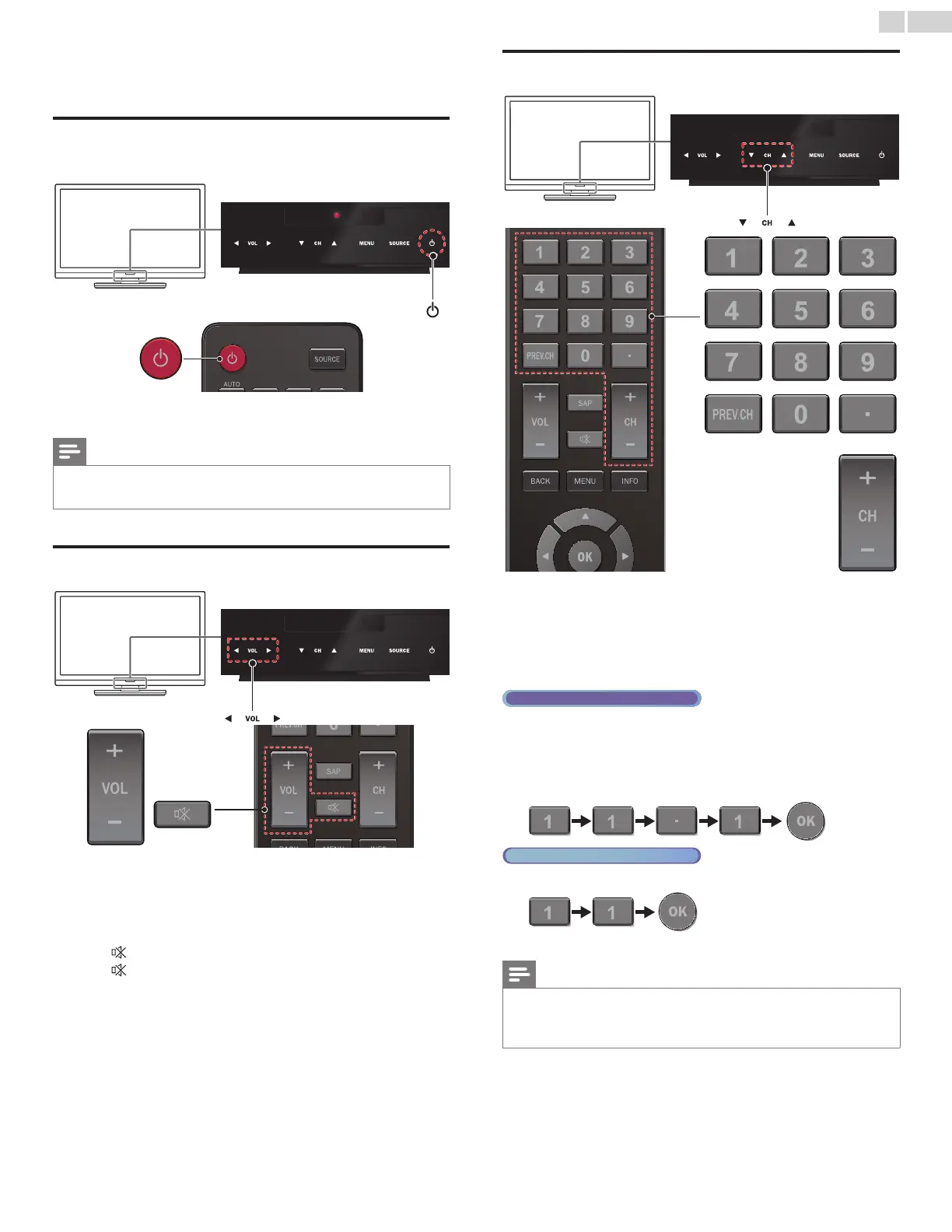
SwitchingonyourTVandputtingitinstandby
mode
ToTurnPowerOnortoTurnStandbyOn
• Touch or press
.
on the front panel or the remote control.
Note
• Energy consumption contributes to air and water pollution. When the AC power
cord is plugged in, your TV consumes energy. Your TV has very low standby power
consumption.
Adjustingvolume
Toincreaseordecreasevolume
• Touch VOL◄(down) / ►(up) on the front panel or press
VOL+/− on the remote control.
Tomuteorunmutesound
• Press on the remote control to mute the sound.
• Press
again or VOL+/− to recover the original sound.
Switchingchannels
ToselectChannelsbyusingCH▲/▼orCH+/−
• Touch CH▲(up) / ▼(down)on the front panel or press CH+/−
on the remote control.
ToselectChannelsbyusingtheNUMBERbuttons
DigitalTVoperation
• For Digital channels, press a number followed by a dot “•” and the
corresponding sub channel number.
– When selecting Digital channel 11.1
Be sure to press • before entering the subchannel number.
Analog/CableTVoperation
– When selecting cable or Analog channel 11
Press PREV.CH to return to the previously viewed channel.
Note
• To select the non-memorized channels, use theNUMBERbuttons.
• NoSignal will appear on the TV screen after the subchannel broadcast is over.
• Audioonlyprogram message will appear on the TV screen, when you receive only
sound signal.



 To Next Page