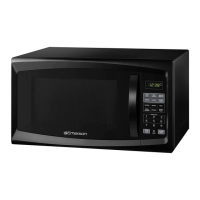
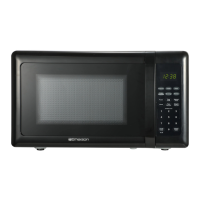
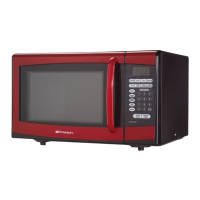
This document is the owner's manual for the Emerson MW1119W 1000W Microwave Oven. It provides detailed instructions for operation, safety precautions, and maintenance, along with technical specifications and warranty information.
Function Description
The Emerson MW1119W is a 1000W microwave oven designed for heating, cooking, and defrosting food. It offers various cooking modes, including single-stage cooking, two-stage cooking, weight defrost, time defrost, and auto cook functions for specific food items. The oven features a digital display, a clock, and a kitchen timer. A child lock function is included to prevent unintended operation. The microwave uses ISM frequency energy to heat food, converting electricity into microwave energy via a magnetron tube. This energy is then transmitted to the oven cavity, where it is reflected, transmitted, and absorbed by the food, causing its molecules (especially water, fat, and sugar) to activate and produce heat.
Important Technical Specifications
- Power Supply: 120V~60Hz
- Power Consumption: 1500W (13A)
- Microwave Output Power: 1000W
- Oven Capacity: 1.1 cubic feet
- Outside Dimensions: 20.2 (W) x 17.2 (D) x 12.0 (H) inches (512mm x 437mm x 305 mm)
- Weight: 32.2 Lbs (14.6kg) Approx.
- Maximum Cooking Time: 99 minutes, 99 seconds for single and two-stage cooking.
- Weight Defrost Range: Minimum 4 oz, maximum 100 oz.
- Time Defrost Range: Minimum 1 second, maximum 99 minutes, 99 seconds.
- Power Levels: Eleven power levels, ranging from 0% to 100%.
Usage Features
- Setting the Clock: The clock can be set using the CLOCK button and number buttons. The display shows "0:00" when first plugged in.
- Weight Defrost: Users can select the desired weight in ounces (4-100 oz) for automatic defrosting.
- Time Defrost: Allows users to set a specific defrosting time (1 second to 99 minutes, 99 seconds).
- Cooking in One Stage: Set cooking time (up to 99 minutes, 99 seconds) and power level (0-10) using the TIME COOK and POWER buttons.
- Kitchen Timer: Functions as a standalone timer without microwave energy production.
- Cooking in Two Stages: Allows for sequential cooking with different power levels and times for each stage.
- Defrosting/Cooking in Two Stages: Combines weight or time defrost with a subsequent cooking stage.
- Quick Cooking (Express Cook): Pressing number buttons 1-6 immediately starts cooking at power level 10 for the selected number of minutes. The START/+30SEC button adds 30 seconds to cooking time with each press.
- Stop/Clear Button: Stops or clears a cooking program. Pressing twice cancels the program. Always press before opening the door during operation.
- Auto Cook: Pre-programmed settings for common foods like popcorn, potato, pizza, beverage, dinner plate, and frozen vegetable. Users select the food item and portion/weight, and the oven automatically sets time and power.
- Power Levels: Eleven selectable power levels (0-10) for manual cooking.
- Memory Function: Allows users to preset and recall up to three cooking functions.
- Child Lock: Activates by pressing and holding the STOP/CLEAR button for three seconds, locking the control panel. Deactivated by repeating the action.
- Inquiry Function: During cooking, pressing the POWER button displays the current power level for three seconds, and pressing the CLOCK button displays the current time for three seconds.
- Door Latches: Automatically lock when the door is closed. Opening the door during operation shuts off the magnetron.
- Door Screen: Allows viewing of food while containing microwaves.
- Glass Cooking Tray and Roller Guide: Must always be in place during operation. Do not cook directly on the tray.
Maintenance Features
- Cleaning:
- Disconnect from power before cleaning.
- Clean the oven interior with a soft damp cloth after each use. Mild detergent can be used for very dirty areas. Avoid harsh detergents or abrasives.
- Clean the outside surface with mild soap and water, then wipe dry with a soft cloth. Prevent water from seeping into ventilation slots.
- Clean the control panel with a soft, dry cloth if it becomes dirty or wet.
- Wipe accumulated steam from the oven door with a soft cloth.
- The roller guide and oven cavity floor should be cleaned regularly to prevent excessive noise. They can be wiped with mild detergent water or window cleaner. The roller guide can also be washed in mild, sudsy water or a dishwasher.
- The glass tray can be removed for cleaning and washed in warm, sudsy water or a dishwasher. Allow it to cool if hot before cleaning or placing in water.
- Waveguide Cover: Keep clean at all times to prevent overheating, smoke, or fire.
- General Safety:
- Do not operate the oven empty.
- If a fire occurs, press STOP/CLEAR, keep the door closed, and disconnect power.
- Do not attempt to dry clothes, newspapers, or other materials in the oven.
- Avoid using recycled paper products, metal twist-ties, or metal-rimmed dishes to prevent arcing.
- Do not use corrosive chemicals or vapors in the appliance.
- Ensure proper grounding and avoid using damaged cords or plugs.
- Do not block air vents.
- Keep the oven away from hot air, steam, or splashing liquids.
- Do not immerse the cord or plug in water.
- Keep the cord away from heated surfaces and prevent it from hanging over edges.
- Do not attempt to service or repair the oven yourself; contact qualified service personnel.

 Need help?
 General

 To Next Page