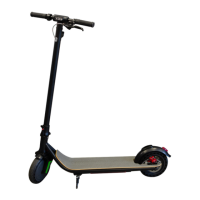
This document is a user manual for the VELOCIPTOR ES 110 OR electric scooter, manufactured by EMG (electric moving green). It provides detailed information on the scooter's function, technical specifications, usage, and maintenance.
Function Description:
The VELOCIPTOR ES 110 OR is an electric kick scooter designed for personal locomotion. It is equipped with a motor, battery, and a display to show various operational parameters. The scooter features a folding mechanism for portability and a remote control for enhanced security and convenience. It is intended for use by individuals for transportation, with specific regulations regarding its use on roads and pedestrian areas. The scooter is not considered a toy and its use by minors must be supervised by an adult. It is designed for dry environments and is resistant to accidental, non-persistent splashes, but not suitable for use in stagnant water or adverse weather conditions.
Important Technical Specifications:
- Frame: Aluminum, with a maximum load capacity of 150 Kg.
- Wheels: 80/60-6 10-inch air tires.
- Motor Power: 500 W.
- Speed Levels: Three levels:
- ECO: up to 6 Km/h
- DRIVE: up to 20 Km/h
- SPORT: up to 25 Km/h
- Battery: 48 V 13 Ah lithium battery.
- Charging Time: Approximately 7 hours.
- Autonomy: Approximately 35 km (indicative, influenced by factors like weight, surface, speed, and driving style).
- Brakes: Rear and front disc brakes.
- Lights: Front and rear LED lights.
- Display: LCD display with USB port (on the back of the display) for charging external devices.
- Weight: Approximately 25 Kg.
- Charger: Included.
- Input Voltage and Frequency: 100-240V ~50/60 Hz
- Output Voltage and Current: 54.6 V 2A
- Output Power: 109.2 W
- Average Efficiency in Active Mode: 88.11 %
- Input Power in No-Load Condition: 0.16 W
- Remote Control:
- Frequency: 433.92 MHz
- Power: 20 mW
- Battery: CR2032 (replaceable)
Usage Features:
- Adjustments Before Use:
- Folding Mechanism: Adjustable nut at the bottom of the handlebar to tighten or loosen the main bar for folding/unfolding.
- Brake Levers: Position can be adjusted by loosening fixing nuts.
- Display: Can be rotated by loosening fixing bolts for better readability and comfortable accelerator lever positioning.
- Brakes: Disc brakes are factory-adjusted, but braking intensity can be fine-tuned via a screw on the brake lever or the brake mechanism. Pad centering can also be adjusted.
- Handlebar Loosening: A screw (5) located where the handlebar folds can be adjusted to reduce vibration or excessive swinging.
- Tire Pressure: Optimum pressure is 40-45 p.s.i. / 2.8-3.1 bar.
- Handlebar Height: Adjustable via a quick release clamp.
- Folding and Unfolding:
- Folding: Open quick release clamp on handlebar, push down and lock. Pull handles outwards and fold handlebar down. Push lever down to unlock folding mechanism. Push steering bar slightly forward, open second folding lever (with a "click"), and continue folding frame until it engages the locking mechanism (another "click").
- Unfolding: Open folding lever (with a "click"), open frame until bar is vertical and locking mechanism engages (another "click"). Push lever up until fixing lever locks. Pull handles upwards (with a "click"). Open quick release clamp, adjust handlebar height, and close clamp.
- Charging:
- Before first use, charge to 100%. Recommended to fully charge when display shows 2 battery bars.
- Battery must be charged every 30 days, even if not used, to maintain efficiency and warranty validity.
- Procedure: Open charging socket cap, connect charger plug, connect charger to 220V~ wall socket. Red LED indicates charging, green LED indicates full charge. Disconnect charger from wall socket, then from scooter. Close protective cap.
- Charge in a dry, ventilated environment. Do not cover charger. Charger is for indoor use only.
- Starting and Braking:
- Start engine by pressing the ignition button.
- Ensure stand is closed. Gently act on the accelerator lever to start the motor.
- To brake, release accelerator (engine brake) or use the rear disc brake lever for sudden braking.
- Display Functions:
- Values Displayed: Current speed (km/h), speed level (ECO, DRIVE, SPORT), battery charge level, travel time, PAS (push start).
- Speed Level Change: Briefly press power button (speed level flashes), short press Mode button to change, press power button again or leave idle to save.
- Information Displayed (short press Mode button): TRIP (single ride distance, long press Mode to reset), ODO (total distance), VOL (current voltage), CH TIME (display turns off after 2 hours, useful for USB charging), TIME (travel time).
- Automatic Shut-off: Display turns off automatically after 3 minutes of inactivity (if CH TIME is not active).
- Cruise Control: Activates after holding constant speed for ~10 seconds (☑ symbol appears). Maintains engine power (speed may vary with terrain). Interrupts by pressing any brake lever or accelerator (symbol disappears).
- Lights and Horn: Green button for horn. Red button for lights (cycles through far light, near light, flashing light).
- Error Messages: Symbols may appear on display for electronic issues: ☑ (brake activation), motor error, accelerator error, controller error.
- Remote Control:
- Lock Button: Emits acoustic signal, activates anti-theft state after ~3 seconds. Siren sounds if scooter is moved (8 seconds, then 15 seconds if moved again within 10 seconds). Locks engine. Press lock to pause alarm.
- Unlock Button: Emits sound, exits anti-theft state, unlocks scooter.
- Search Button: Horn beeps continuously for 8 seconds to locate scooter. Press release button to stop.
- Start Button: After unlocking, press twice to turn on scooter with ON/OFF button.
Maintenance Features:
- Cleaning: Disconnect power supply. Use a cloth slightly moistened with water or suitable cleaning solution. Do not use alcohol or benzene. Dry immediately with a soft cloth.
- Periodic Checks: Periodically check tightening of all screws, absence of yokes on handlebars and mechanical parts, correct brake adjustment, and functioning of front/rear lights.
- Repairs: Do not disassemble. Repairs must be carried out by authorized personnel to maintain warranty.
- Battery Maintenance: Regular charging (every 30 days) is crucial for battery efficiency and warranty.
- Warranty:
- Covers manufacturing defects and failures from the date of the tax document.
- Assistance available through the retailer or Trevi S.p.a. Technical Assistance.
- Requires valid proof of purchase (invoice/sales receipt with identification code and product description) and warranty certificate.
- Does not cover external parts, components subject to wear and tear (e.g., cables, power supply, charger, batteries, wheels, cases), or damages from knocks, falls, misuse, unsuitable environment, atmospheric agents, sudden tension changes, fires.
- Warranty lapses if serial number is removed/modified, product is tampered with/repaired by unauthorized personnel, warranty seals are violated, or use does not comply with legislation.
- Battery warranty is 6 months from purchase.
- Consumer guarantee is 2 years from delivery (Italian Civil Code). For professional buyers (VAT number), it's 1 year.
- Product must be shipped in original or suitable protective packaging to the service center at sender's risk.
- Disposal:
- The crossed-out wheeled bin symbol indicates separate collection of electronic and electro-technical waste (WEEE Directive 2012/19/EU).
- Batteries fall under European directive 2013/56/EC and require separate collection, not normal household waste.
- Unauthorized disposal incurs administrative sanctions.

 Need help?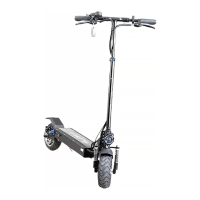

 To Next Page
 General