6
|
ENGLISH
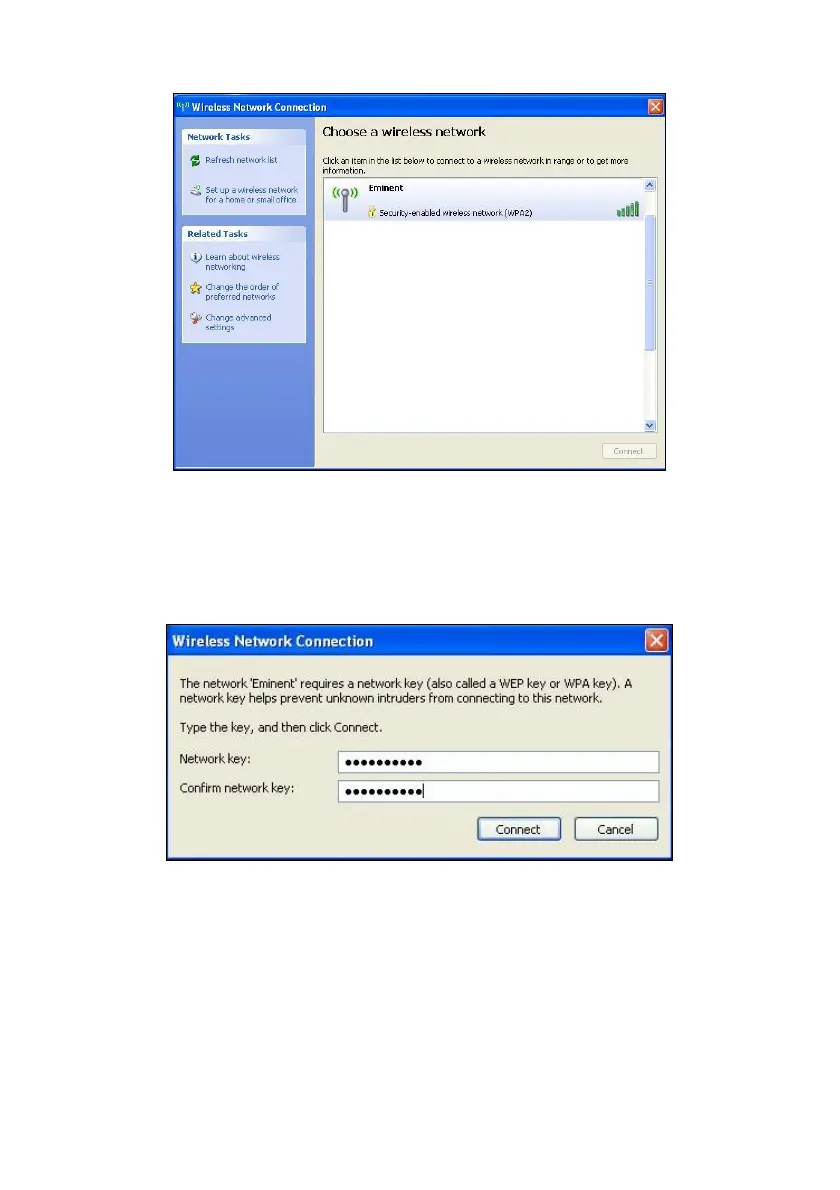
Image 5 - Connecting
3. Select your network and click ‘Connect’.
4. If correct, Windows will now ask you to fill out your wireless security key. You
also need to confirm the wireless security key and then click ‘Connect’. Refer to
the following image:
Image 6 - Connecting
5. If your wireless security key has been filled out correctly, your network will be
connected as shown in the following image:



 To Next Page