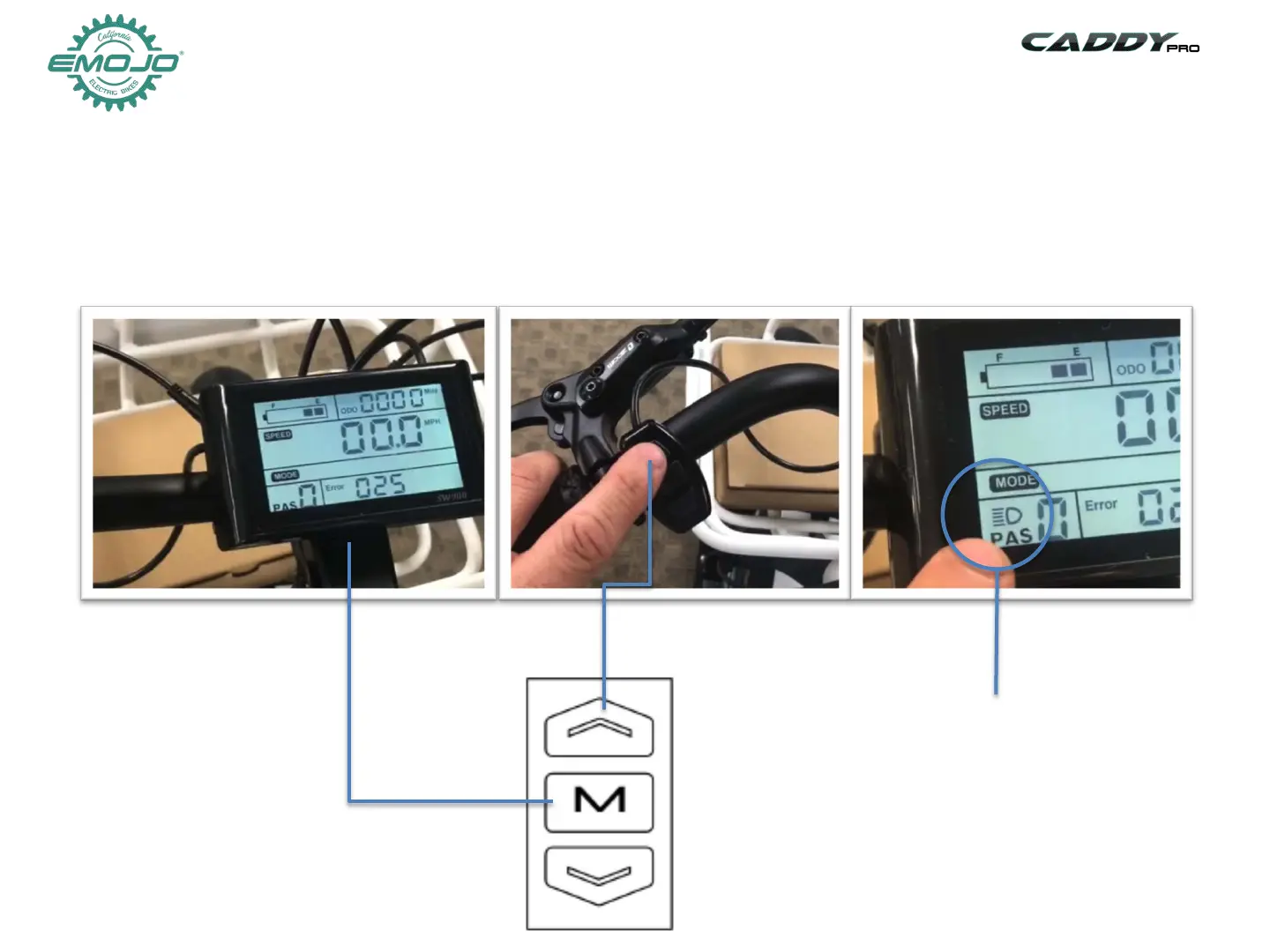
STEP 11: Headlight
Press and hold
M button to
turn system on
Press and hold UP button to
turn light on/off
Light ON indicator
on the screen
To turn your headlight on:
1-Turn on your electric system by pressing and holding the M button for 3 seconds
2-Press and hold the arrow Up button until the light comes on, you will see the light icon
on the screen
3-To turn off the light press and hold the Up button again. The light icon will turn off from the screen.


 To Next Page