7
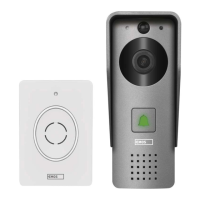
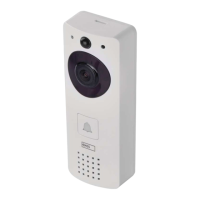
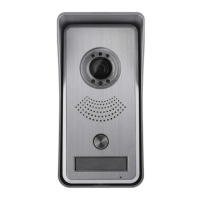
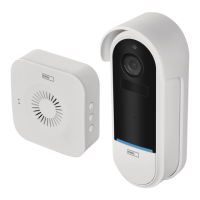
GB | IP Door Camera Unit
Package contents:
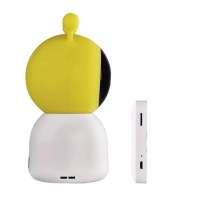
Chime
Wireless doorbell
Mount
Screws
Screwdriver
RESET pin
Power adapter
USB cable
3× AA LR6 1.5 V
Manual
Technical specications:
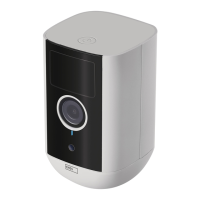
Wi doorbell:
Power supply: DC 5 V/1 A, AC 12~24 V
Dimensions: 140 × 55 × 40 mm
Net weight: 200 g
Resolution: 1 920 × 1 080
Sensor: 1/2.9‘‘ 2 Megapixel CMOS
Battery capacity: 6 700 mAh
PIR detection range: 5 m
PIR angle: 100°
Lens: 3.2 mm, F2.0
Storage: SD card (Max. 128 GB), Cloud
storage
Enclosure rating: IP65
APP: EMOS GoSmart for Android and iOS
Connection: 2.4 GHz WIFI
(IEEE802.11b/g/n)
Maximum number of users: 4
Wireless doorbell:
Power: 3× AA (LR6) 1.5 V
Frequency: 433.92 MHz ±250 kHz
Distance: approx. 80 m (open space)
Description of the device: g. 1a
A – Light sensor
B – Lens
C – Micro USB port
D – PIR sensor
E – Microphone
F – Status LED
G – Doorbell button
H – SD card slot
I – On/o button
J – RESET button
K – External power supply
L – Speaker
Description of the device: g. 1b
A – LED status light
B – Speaker
C – Volume
D – Melody
E – Pairing button
F – Micro USB
Installing the camera onto a wall (powered by batteries): g. 2a
1. Install the mount on a wall with screws.
2. Install the camera in the mount and ax it with a screw.
Installing the camera onto a wall (powered from the grid): g. 2b
1. Prepare the accessories required for powering by AC power.
2. Place and install the mount on the wall and connect the mount to an AC power source.
3. Install the camera in the mount and ax it with a screw.
Pairing a wireless doorbell with a Wi doorbell:
• Press the button” ”for 2seconds, the status LED ashes red slowly and the doorbell
is in pairing mode.
• Then press the ring button on the Wi- doorbell, once the status LED goes o and the
melody automatically plays - the pairing was successful.
Cancel pairing of the wireless doorbell with the Wi- doorbell:
• Press the button” ”for 5seconds, the device is in factory setting.
Installing the EMOS GoSmart app: g. 3
The app is available for Android and iOS on Google play and App Store.
Download the application by scanning the corresponding QR code.


 To Next Page