3
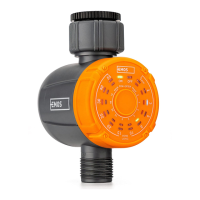
GB | One Touch Digital Tap
Timer Pro
Specications
Max operating
pressure
8 bar (120 PSI)
Working
temperature
3 °C–50 °C
(37 °F–122 °F)
Waterproof IP 54
Watering frequency 1/2/3/4 h…1 week
Watering duration 1/2/3/5…55 min
Max owing 35 l/min
Power supply 3× 1.5 V AAA battery
Battery life 1 year aproximately
Fault resolvent
LEDS o Insert new batteries
Watering is not
functional
Check if:
The hose faucet is on.
Timer is set to ON
Water ow is weak Clean the lter
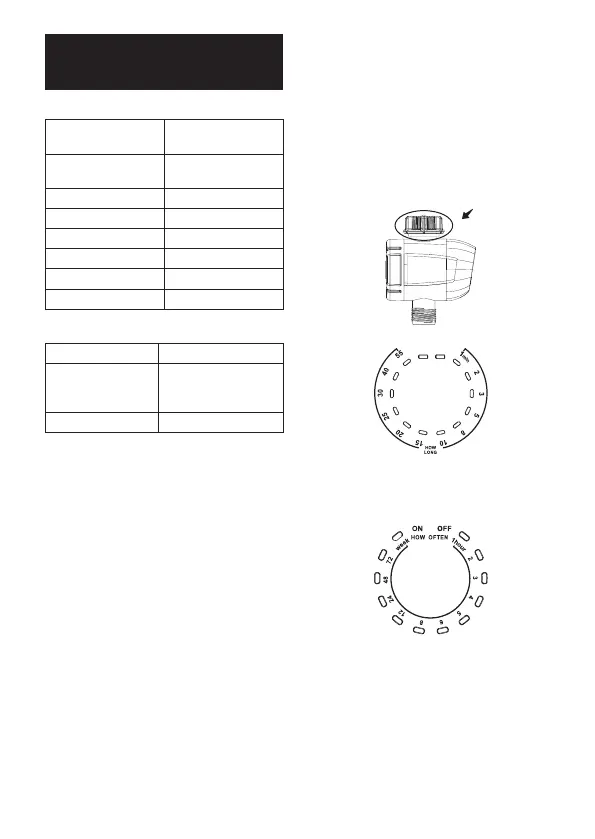
Buttons (see g. 1)
1 – SETTING BUTTON
2 – WATERING FREQUENCY
3 – ON
4 – ¾ INCH INLET
5 – OFF
6 – WATERING DURATION
7 – ¾ INCH OUTLET
BATTERY INSTALLATION (see g. 2)
Use only 1.5 V alkaline batteries, do not use
rechargeable batteries.
The timer will stop working and the LED indicator
(OFF) ashes red when battery power is low.
Unscrew the controller by hand form the housing
of water timer, remove the cap of the battery
compartment positioned on the back side of the
cover, being sure that the battery compartment
is clean.
Insert 3× 1.5 V AAA alkaline batteries (not
included) in the battery compartment.
(Ensure correct polarity to avoid damaging
the timer).
Close properly the battery compart and replace
the front cover, making sure correct position of
the cable to avoid compromising their integ-
rity and functionality of the unit control. After
power-on, all LED lights turn on for 1 second
and then go out.
After the light is o, follow-up operation can
be carried out.
TIMER INSTALLATION
Screw the sleeve nut from the water timer on
to the outdoor hose faucet and tighten rmly
to avoid leaks.
Watering time
• 1 min • 2 min • 3 min • 5 min • 8 min • 10 min
• 15 min • 20 min • 25 min • 30 min • 40 min
• 55 min
Watering frequency
• 1 Hour • 2 Hour • 3 Hour • 4 Hour • 5 Hour
• 6 Hour • 8 Hour • 12 Hour • 24 Hour • 48 Hour
• 72 Hour• 1 Week
SET WATERING DURATION
Press the setting button continuously, and the
LED for „ON“ will light up. You can now select
the specied watering duration by repeatedly
pressing the „Setting“ button. Wait 4 seconds
to conrm your setting.


 To Next Page