6
• IP44 enclosure
• voltage: 230 V AC, 50 Hz
• max. load on the socket: 3 000 W
• max. current load on the socket: 13 A
• operating temperature: 0 °C to 35 °C
Remote Controller
• transmission frequency: 433.92 MHz
• max. high-frequency output of the transmission unit: 0.181 mW e.r.p.
• power supply: 1× CR2032 3 V (included)
Basic Information
• Do not plug the sockets into one another.
• The distance between two sockets during use should be over 50 cm.
• Do not plug the wireless socket into an extension cable. Plug only directly into a main, wall
-
-mounted power source.
• Do not plug in devices that should always be supervised (e.g. an iron or an electric skillet) – risk
of re or other damage.
• Do not open the device. Repairs must only be done by a professional. Improper use or inexpert
repair can cause a short circuit or injury by electric current.
• Signal range is always listed as a maximum in an open area without obstacles; it can be signicantly
aected by the material of the building where the device is being used. Signal range also depends
on the placement of the transmitter and the receiver. Avoid placing parts of the device in the vicinity
of heat sources, sources of electromagnetic elds, high-voltage cables and large metal objects.
Information for Use
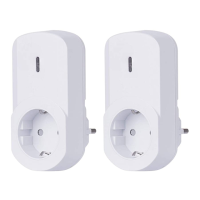
• You can use the wireless set of sockets immediately after unpacking. The receiver can be plugged
into any wall socket. The device which is to be wirelessly controlled must be plugged into the
wireless socket. The wirelessly controlled appliance must always be on.
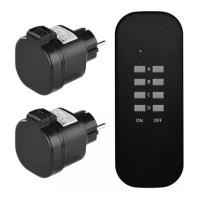
Remote Controller – Transmitter
• Open the battery compartment cover and remove the protective lm. Close the cover.
• A socket can be assigned to any of the A, B, C, D button pairs.
• Each pair of buttons works separately. The left-side buttons turn the corresponding socket on,
the right-side buttons turn it o.
• The red LED light indicates signal transmission.
Replacing the Battery in the Remote Controller
• Open the battery compartment cover at the back of the remote controller.
• Remove the used battery.


 To Next Page