8
The thermostat turns on and the screen will activate.
Setting Day and Time
Long press the button and up arrow simultaneously; the minute
value will start ashing.
Use the up or down arrows to set minutes and conrm with .
Then use the up/down arrows to set hours and conrm with .
Then use the up/down arrows to set day (1 – Monday to 7 – Sunday) and
conrm with .
Screen Illumination
Pressing any button activates screen illumination for 5 seconds.
Factory Preset Programmes
The programmable indoor thermostat was designed to be easy to use and
require minimal user input.
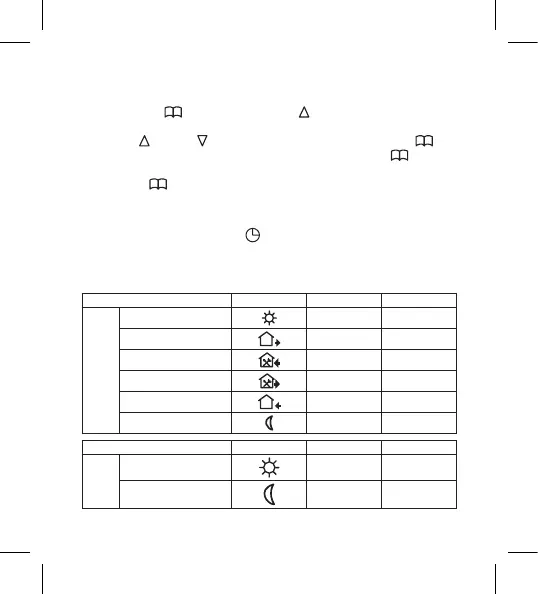
Table of Preset Programmes
Icon Time Temperature
monday – friday
1st change
6:00 20°C
2nd change
8:00 15°C
3rd change
11:30 15°C
4th change
12:30 15°C
5th change
17:00 22°C
6th change
22:00 15°C
Icon Time Temperature
saturday –
sunday
1st change
8:00 22°C
2nd change
23:00 15°C


 To Next Page