Step 5(a): No solar
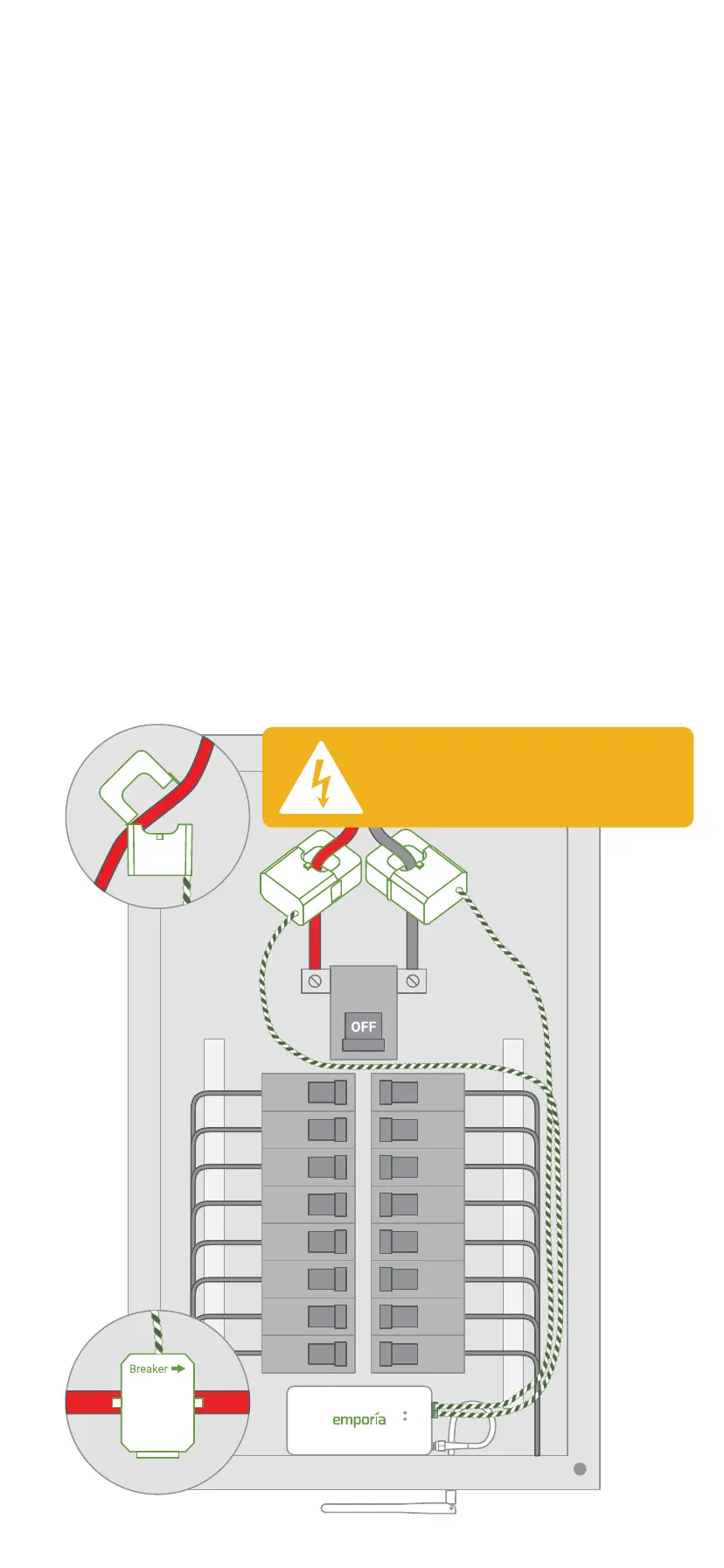
Main CT installation
Open the clasps on the CTs and place each
clamp around one of the main service cables.
Then, shut the clasps to secure the CTs.
IMPORTANT! The Breaker → imprint on the
bottom of the CTs should point toward the
breakers. Finally, insert the screw terminal
plugs into the ports on the right side of the
monitor. To avoid clutter, unscrew the 22
AWG wires from the screw terminals, cut
them to size, and reattach them ensuring the
black and white wires match the icons on the
front of the Vue.
DANGER: The service
mains are energized!
Breakers
Meter


 To Next Page
 Loading...