8
OPERATION & CONNECTION
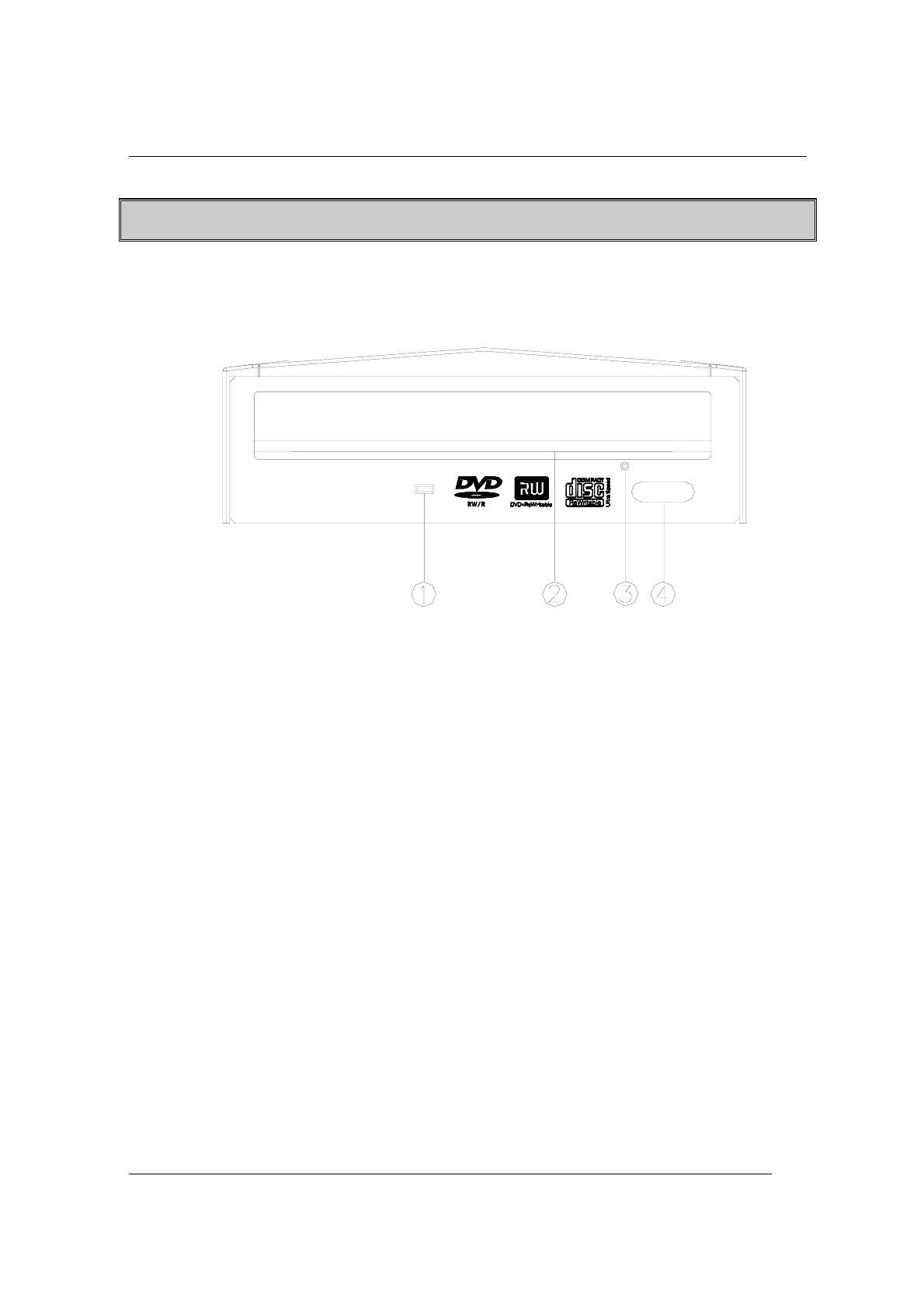
Front Panel
1. LED Indicator (dual color)
Flashes “green” while verifying or reading a disc.
Flashes “amber” while writing discs.
2. Disc Tray
Place the disc in the tray here, and then press the Close/Eject button or
lightly push the tray to close it.
3. Emergency Eject Hole
If the Close/Eject button doesn’t work properly and the disc tray can’t be
opened, you can insert a paper clip or a small rod into this hole for
manual ejection.
Please make sure to power off the system before you do that.
4. Close/Eject button
This button opens and closes the disc tray. If the tray is closed, pressing
the button will eject it.
)
Note: The design of front panel is subject to change without notice.


 To Next Page