EasyManua.ls Logo

Emtec Movie Cube K120 - User Manual

Emtec Movie Cube K120
30 pages
Print Icon
To Next Page IconTo Next Page
Loading...
Home Multimedia Center
Movie Cube K120 / K130
Users Manual
(Version 1.2)
Question and Answer IconNeed help?

Do you have a question about the Emtec Movie Cube K120 and is the answer not in the manual?

Overview

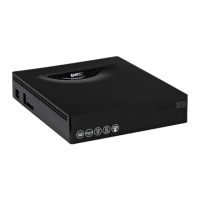
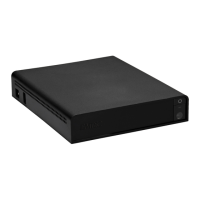
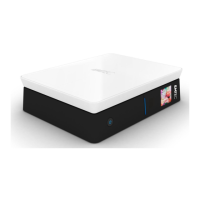
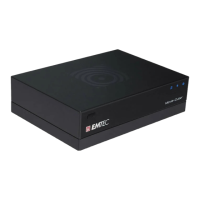
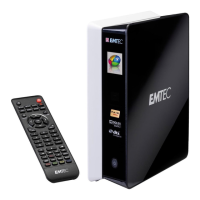
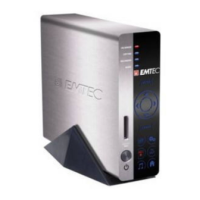
The Emtec Movie Cube K120 / K130 is a Home Multimedia Center designed for entertainment and data storage. It functions as a portable external storage device with a built-in HDD and high-speed USB 2.0, allowing users to enjoy movies, music, and photos.

Function Description:

The device offers comprehensive multimedia playback capabilities:

  • Data Storage: Supports 3.5" SATA HDDs up to 1TB.
  • Video Playback: Plays AVI, VOB, MPG, MP4, and DAT files with MPEG-1, MPEG-2, and MPEG-4 ASP codecs (up to D1 quality).
  • Music Playback: Supports MP3, WMA (excluding DRM, Pro, and Advanced Profile), and OGG files.
  • Photo Playback: Displays JPG/JPEG files and features a slide show mode.
  • USB HOST: Allows direct playback of files from USB flash drives and external USB HDDs.
  • Card Reader: Supports SD, MMC, MS, and MS PRO memory cards.
  • DVD Playback: Can play DVD DISC files stored in a VIDEO_TS folder on the internal HDD.
  • File Management: Provides a file interface to browse and play all supported video, audio, and image files and folders. It also supports a "SLIDE" feature to play photo slideshows with background music when pictures and music files are in the same folder.
  • Storage Device Interface: Allows selection of specific partitions on the internal HDD or access to plug-in USB devices.
  • Setup Menu: Configures general and video settings, including OSD language, screen saver, slide show time and mode, and video output settings.

Important Technical Specifications:

  • Video Formats/Codecs: AVI, VOB, MPG, MP4, DAT; MPEG-1, MPEG-2, MPEG-4 ASP.
  • Video Resolution: Up to 720x576 (PAL), 720x480 (NTSC).
  • Subtitle Support: SRT, SSA, SMI.
  • Audio Formats/Codecs: MP3, WMA (DRM, Pro, and Advanced Profile not supported), OGG; MP2, MP3, AAC, PCM, LPCM.
  • Audio Compression Rate: MP3: 32 Kbps~320 Kbps; WMA: 32 Kbps~192 Kbps.
  • Photo Format: JPG/JPEG (720p/1080i).
  • A/V Output: Video: Composite, Component, HDMI (Version 1.1) up to 720p/1080i; Audio: Stereo RCA, HDMI, S/PDIF Optical.
  • TV System: PAL, NTSC, Auto.
  • USB Interface: 1x USB 2.0 DEVICE port, 1x USB 2.0 HOST port.
  • Card Reader: SD/MMC/MS/MS Pro.
  • Hard Disk: 3.5' SATA HDD up to 1TB.
  • File System: FAT, FAT32, NTFS.
  • Operating Temperature: +5℃ to +35℃.
  • Power: AC-DC Adapter 12V, 1.5A.
  • Dimensions: 180x220x40mm.
  • Weight: Approx. 650g (without HDD).

Usage Features:

  • Remote Control: All functions can be operated via the included remote control.
  • Front Panel (K120): Features an infrared remote receiver and a POWER button.
  • Front Panel (K130): Includes an infrared indicator, POWER indicator, infrared remote receiver, and POWER button.
  • Rear Panel: Provides DC IN, S/PDIF OPTICAL, Y/Pb/Pr OUT, A/V OUT, HDMI, and SCART - TV jacks for various connections.
  • Side Panel: Equipped with USB HOST (A-Type), USB DEVICE (B-Type) ports, and a Card slot.
  • First Time Usage: Simple power-on/off procedure and language control.
  • Playback Controls: Standard play/pause, fast reverse/forward (with multiple speeds), stop, repeat modes (ONE, FOLDER, DISK), audio channel switching, subtitle on/off, and display of elapsed time.
  • Photo Specific Features: Image rotation, zoom mode (with FF/FR buttons for zoom in/out), and thumbnail display via the MENU button.
  • Firmware Upgrade: The device's firmware (operating system) can be upgraded via a USB Pen Drive to introduce new features, improvements, and bug fixes. The process involves copying a specific file ("bank30.rom") to the root directory of a USB key, plugging it into the USB HOST port, and allowing the system to install and restart.

Maintenance Features:

  • Caution: Users are advised not to modify the player, ensure environmental temperature is within +5℃ to +35℃, use the supplied AC adapter, and avoid humid or dusty areas. Repairs should only be performed by appointed specialists.
  • Hard Disk Cautions: Regular defragmentation is suggested after long periods of usage. Users are advised to regularly back up data to prevent loss due to physical impact, electrical shock, power loss, or HDD format issues. The device supports FAT32 and NTFS partitions, though NTFS is read-only. For formatting FAT32 partitions larger than 32GB, third-party tools are recommended.
  • Troubleshooting: The manual provides solutions for common issues such as computer non-recognition, inability to disconnect USB devices, corrupted file names, and missing files.
  • Warranty: The warranty covers manufacturing defects but excludes damage from acts of nature, unauthorized repair, misuse, neglect, modifications, loss of data, or improper handling/installation.
  • License Information: The product contains Free Software licensed under the GNU General Public License, Version 2 (GPL), with provisions for obtaining the source code.

Emtec Movie Cube K120 Specifications

General IconGeneral
BrandEmtec
ModelMovie Cube K120
CategoryMedia Player
LanguageEnglish

Related product manuals