EasyManua.ls Logo

Endress ESE Series - User Manual

Endress ESE Series
76 pages
Print Icon
To Next Page IconTo Next Page
Loading...
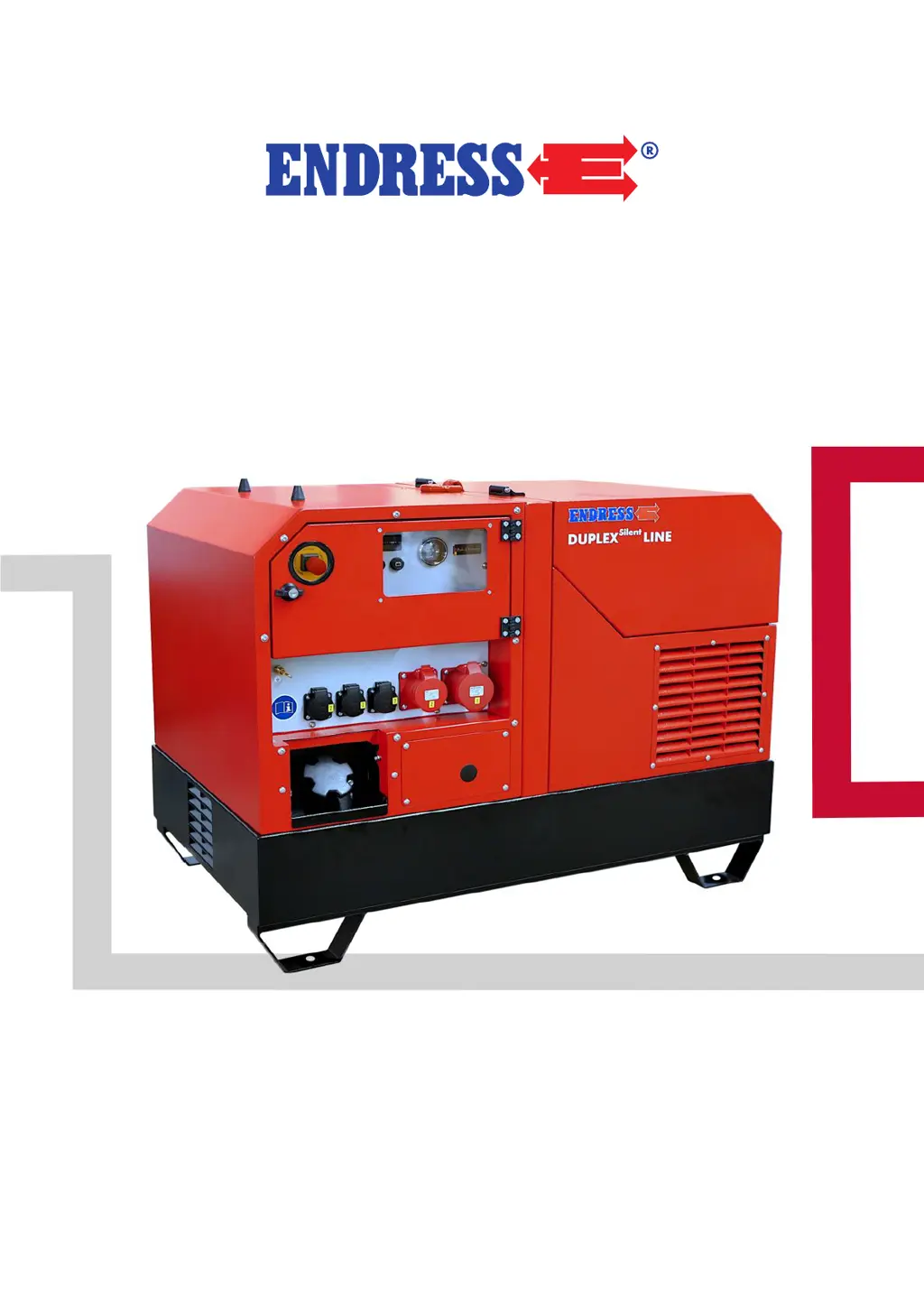
ESE power generator
TRANSLATION OF THE ORIGINAL OPER-
ATING MANUAL
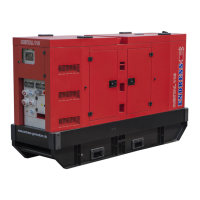
ESE 1008 HG ES Diesel Silent
ESE 1408 DHG ES Diesel Silent
Article-Nos: 113041 / 113040 / 8008015

Table of Contents

Other manuals for Endress ESE Series

Questions and Answers

  • A
    Amy MurphyJul 27, 2025
    What to do if my Endress Portable Generator engine turns but does not start (electrical start)?
    • E
      Elizabeth RodriguezJul 27, 2025
      If your Endress Portable Generator's engine turns but doesn't start with the electrical start, there could be several reasons: * The controller might be operated incorrectly. Refer to the operating instructions. * Inadequate engine maintenance. Check the engine maintenance instructions. * The oil level monitor may be activated, so check and refill the oil if needed. * There might be too little fuel in the tank; refuel it. * The fuel filter could be clogged; replace it. * There may be bad fuel in the tank; replace the fuel, change the fuel filter, and clean out the fuel tank if necessary. * The EMERGENCY-STOP button might be locked; unlock it.
  • A
    albertramosJul 31, 2025
    Why does my Endress Portable Generator engine start briefly and then shut down?
    • L
      laurenwardJul 31, 2025
      Your Endress Portable Generator engine might start briefly and then shut down due to: * Too little fuel in the tank; refuel it. * The oil level is too low; add oil. * The fuel filter is clogged; replace the fuel filter.
  • S
    Steven AllenAug 4, 2025
    What should I do if the engine smokes in my Endress Portable Generator?
    • H
      Henry MorrisAug 4, 2025
      If your Endress Portable Generator's engine is smoking, it could be due to: * Too much oil in the engine; drain off any excess oil. * A dirty or oil-soaked paper element in the air filter; clean or replace it if necessary. * A dirty or dry foam element in the air filter; clean and, if necessary, moisten the foam element.
  • C
    Casey WaltonAug 8, 2025
    What to do if the engine turns but does not start (manual start) in my Endress Portable Generator?
    • V
      Virginia WrightAug 8, 2025
      If the engine of your Endress Portable Generator turns but does not start with the manual start, it could be due to: * The battery connecting cables are unclamped; clamp or screw on the battery connecting cables. * The starter battery is discharged; recharge the starter battery.
  • R
    rebecca73Aug 13, 2025
    What to do if the power output of my Endress Portable Generator remains significantly below the nominal output?
    • K
      Kaitlyn CarterAug 13, 2025
      If the power output of your Endress Portable Generator remains significantly below the nominal output, consider the following: * Operation under extreme climatic conditions; adapt the usage for the climatic conditions or terminate it. * The generator has been poorly serviced; perform maintenance work.
  • A
    Ashlee MitchellAug 17, 2025
    Why is the oil pressure too low in my Endress Portable Generator?
    • J
      James Taylor MDAug 17, 2025
      If the oil pressure is too low in your Endress Portable Generator, it's likely due to insufficient engine oil. Refill it with engine oil.
  • S
    smithericAug 21, 2025
    What to do if my Endress Portable Generator does not start automatically?
    • T
      Tony BlackAug 22, 2025
      If your Endress Portable Generator does not start automatically, it could be due to a faulty or disconnected remote start connection. Try remaking the remote start connection.

Summary

About this manual

Constituent parts of the documentation

Lists necessary documents for complete device understanding.

Using this operating manual

Explains how to use the manual and interpret its symbols and warnings.

Product identification

Welcome to ENDRESS!

Welcomes the user and highlights product quality and experience.

Your product

Guides users to identify their specific generator model using the type plate.

Included in delivery

Lists the items included with the generator upon delivery.

Labels on the generator

Explains the meaning and location of various labels and markings on the generator.

For your safety

Safety symbols

Explains the graphic symbols used to indicate hazards and dangerous situations.

General safety instructions

Provides essential safety guidelines for operating and servicing the generator.

Residual risks

Identifies potential residual dangers and measures to avoid them.

Authorised operating personnel - qualifications and obligations

Outlines the required qualifications and responsibilities for operating personnel.

Danger zones and work areas

Defines specific zones around the generator that require caution or are restricted.

Checking the electrical safety

Description of the device

Power generator view

Provides an overview and visual identification of the generator's main parts.

Generator and control side components

Identifies and describes components on the generator's control and side panels.

Engine and tank side components

Identifies and describes components on the engine and fuel tank sides.

Control panel components

Details the various controls, indicators, and sockets on the generator's control panel.

Commissioning

Initial start-up

Guides users through the essential preparatory steps before the first generator start.

Transporting and preparing your generator

Details the requirements and procedures for safely transporting and positioning the generator.

Refuelling your generator

Provides instructions and safety precautions for refuelling the generator's fuel tank.

Starting the generator

Explains the procedure for manually starting the generator and essential safety warnings.

Low load diesel engine operation

Discusses the impact of low load operation on engine life and provides recommendations.

Turning off your power generator

Outlines the correct procedure for safely shutting down the generator.

Turn off your generator in the event of an EMERGENCY

Explains how to use the EMERGENCY STOP button and how to reset it.

Connection of power consuming equipment

Details how to connect electrical devices to the generator's sockets safely.

Optional fittings

Residual current circuit breaker (RCD)

Explains the function of the RCD and its safety role in preventing electric shock.

Remote start device

Describes the cable remote control for starting and stopping the generator.

Wireless remote control

Details the wireless remote control system for remote generator operation.

Refuelling device connection

Explains the connection and function of an external refuelling system for continuous operation.

Selecting the operating mode

Guides users on selecting between direct supply and feed-in modes for generator operation.

Direct supply mode

Explains the direct supply mode for connecting electrical consumers.

Feed-in mode

Details the feed-in mode for supplying stationary systems like houses.

Insulation monitoring, with switching off

Describes the insulation monitoring system for electrical safety during operation.

Inteli-Nano

Introduces the Inteli-Nano operating display for accessing device information.

ECOtronic (idle down)

Explains the ECOtronic system for automatic engine speed reduction to save fuel.

Maintenance

Maintenance plan

Presents a maintenance schedule and scope of work for the generator.

Maintenance work

Details the tasks for authorized personnel in carrying out maintenance.

Starter battery

Describes the 12V VRLA-AGM starter battery and its specifications.

Charging the battery

Provides instructions and safety advice for charging the starter battery.

Replacing the battery

Outlines the procedure for safely replacing the starter battery.

Engine oil

Explains the importance of using the correct engine oil and adherence to intervals.

Checking the oil level

Details the procedure for checking the engine oil level using the dipstick.

Changing the engine oil

Guides users through the process of changing the engine oil, including safety precautions.

Storage

Disposal

Troubleshooting

Technical data

Replacement parts

Endress ESE Series Specifications

General IconGeneral
BrandEndress
ModelESE Series
CategoryInverter
LanguageEnglish

Related product manuals