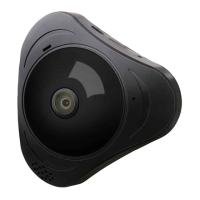
Panoramic VR IP Camera 360º
1
1. Please turn on WI-FI connection on your mobile device before setup.
2. The camera will not work on a 5Gz wireless standard at this time. If you
have a dual-band router, be sure to segregate your wireless channels and
connect the camera to the 2.4Ghz channel.
3. Please make sure the router signal is stable (place IP camera close to your
router for rst connection is recommended.
Step 1: Download the Yoosee App (Yoosee Only)
Step 2: Register the User ID by Email Account is recommended.
Step 3: Power on the IP Cam: (Start To Conguration) Sound will be sent
by the IP Camera, except the outdoor IP camera. If not, please
check the Reset information below on FAQ. After hearing the
Sound, user should take the following step as soon as possible, or
device system will turn to ‘Resting State’.
Step 4: Connect the IP Camera to internet: Place IP Camera close to your
router for rst connection is Recommended, good signal will speed
up the connection.
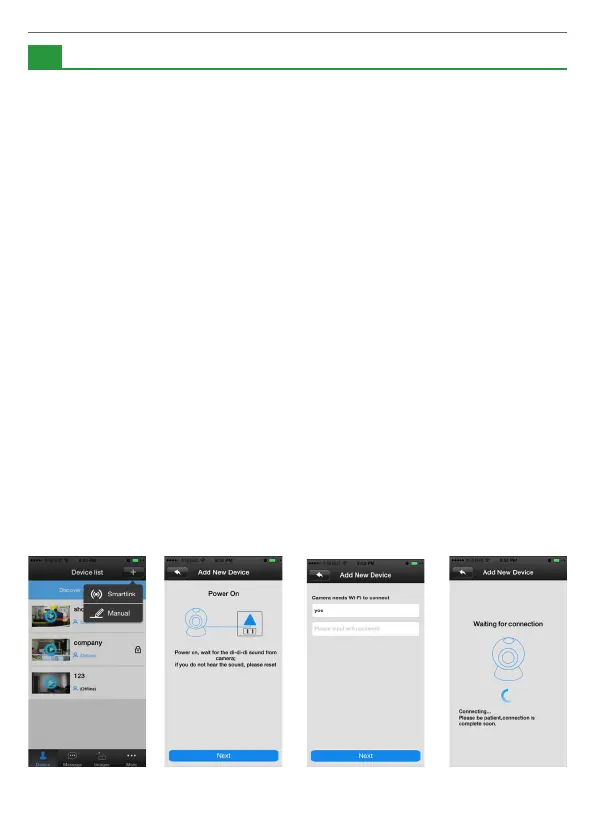
1) WI-FI Connection: open the Yoosee software, click “Device”, choose
the “+” button, choose “Smartlink”, click next and then choose
the WI-FI and WI-FI password you need, click the “next” again,
connect the device.
1
Setup Notice
Setup Process:


 To Next Page
 Loading...