Need help?
Do you have a question about the Energeeks EG-AW001PLUS and is the answer not in the manual?
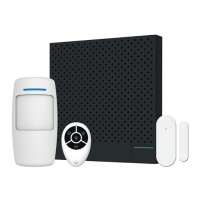
Technical specifications for the Smart Gateway component including power, measurement ranges, and noise levels.
Technical specifications for the Door Sensor component, detailing its model, power source, and battery lifespan.
Technical specifications for the Motion Sensor component, including model, power source, battery lifespan, and field of view.
Technical specifications for the Keyfob Remote component, covering model, power source, battery lifespan, communication, and operating temperature.
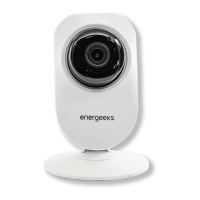
Technical specifications for the IP Camera HD component, including angle of view, video resolution, night vision, and connectivity.
Introduction to the Smart Gateway, highlighting its role as the control center for the smart alarm kit.
Introduction to the Door Sensor, explaining its function for monitoring door and window status.
Explains the meaning of different indicator light behaviors on the Smart Sensor Gateway, Door Sensor, and Motion Sensor.
Describes the functions of various buttons, including Touch Button, Reset Button, and Pairing Button on the devices.
Guide on how to download the Energeeks 2.0 app, sign up, and log in for device management.
Instructions for connecting the Smart Gateway to a power outlet to begin setup.
Preview of the IP Camera HD functions including live view, recording, photo capture, and history playback.
Instructions for installing the Door Sensor, including battery setup and optimal placement considerations.
 General
| Brand | Energeeks |
|---|---|
| Model | EG-AW001PLUS |
| Category | Security System |
| Language | English |

 To Next Page