EasyManua.ls Logo

Energeeks EG-CIPEXT005 - User Manual

Default Icon
60 pages
Go to English
Print Icon
To Next Page IconTo Next Page
Loading...
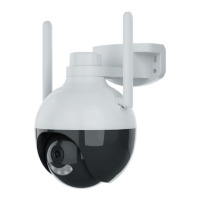
CÁMARA EXTERIOR IP WIFI MOTORIZADA
GUIA DE INSTALACIÓN RÁPIDA
EG-CIPEXT005
OUTDOOR MOTORIZED WIFI IP CAMERA
QUICK INSTALLATION GUIDE / GUIA DE INSTALAÇAO RÁPIDA
GUIDE D’INSTALLATION RAPIDE / GUIDA DI INSTALLAZIONE RAPIDA
KURZANLEITUNG ZUR INSTALLATION
DEFENDER III
Question and Answer IconNeed help?

Do you have a question about the Energeeks EG-CIPEXT005 and is the answer not in the manual?

Summary

Introduction

Warranty

Warranty Period and Coverage

Details the warranty duration, distinguishing between consumer and commercial use.

Limited Warranty Obligations

Outlines the manufacturer's responsibilities regarding repair or replacement of defective components.

Environmental Protection

Features and Contents

Product Features

Lists technical specifications like resolution, Wi-Fi, sensors, and night vision capabilities.

Box Contents

Specifies all the items included in the product packaging.

Safety Information

Important notice to read and follow all instructions and warnings before product use.

Download App

Quick Installation Guide

Installation Steps

Provides step-by-step instructions for connecting the camera via the mobile app and Wi-Fi.

Additional Information and Documentation

Summary

Introduction

Warranty

Warranty Period and Coverage

Details the warranty duration, distinguishing between consumer and commercial use.

Limited Warranty Obligations

Outlines the manufacturer's responsibilities regarding repair or replacement of defective components.

Environmental Protection

Features and Contents

Product Features

Lists technical specifications like resolution, Wi-Fi, sensors, and night vision capabilities.

Box Contents

Specifies all the items included in the product packaging.

Safety Information

Important notice to read and follow all instructions and warnings before product use.

Download App

Quick Installation Guide

Installation Steps

Provides step-by-step instructions for connecting the camera via the mobile app and Wi-Fi.

Additional Information and Documentation

Energeeks EG-CIPEXT005 Specifications

General IconGeneral
BrandEnergeeks
ModelEG-CIPEXT005
CategorySecurity Camera
LanguageEnglish

Related product manuals