6
Screen
The screen of your mobile phone is designed as follows:
(See Figure 1.2 – Page 2)
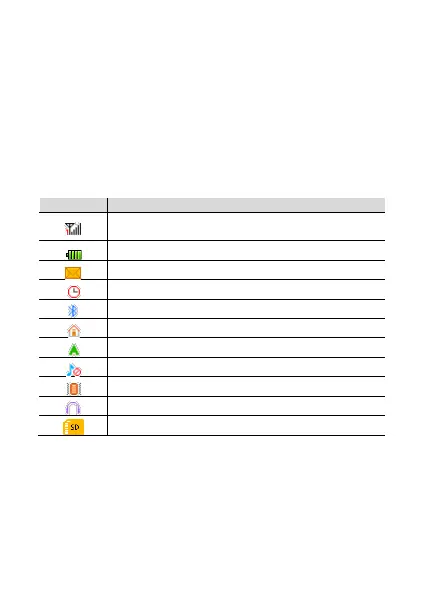
Icons
Learn about the icons that are displayed on the top of the
screen, indicating the status of the phone:
Represent current network signal. The more
bars, stronger the signal.
Battery status. More bars indicate more battery.
Bluetooth function activated.



 To Next Page