STEP 3
Plug the camera into a wall outlet using the provided
6 foot cable and USB power adapter.
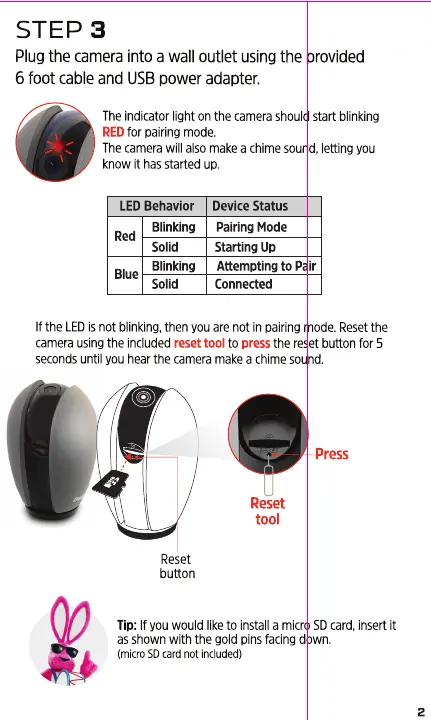
The indicatorlight on the camerashould start blinking
REDfor pairing mode.
The camera will also make a chime sound, letting you
know it has started up.
LED Behavior
Blinking
Red
Solid
Blinking
Blue
Solid
Device Status
Pairing Mode
Starting Up
Attempting to Pair
Connected
If the LEDis not blinking,then youare not in pairing mode. Resetthe
camera using the included reset tool to press the reset button for 5
seconds until you hear the camera make a chime sound.
Press
Reset
tool
button
Tip: If you would like to install a micro SD card, insert it
as shown with the gold pins facing down.
(micro SD card not included)
2


 To Next Page