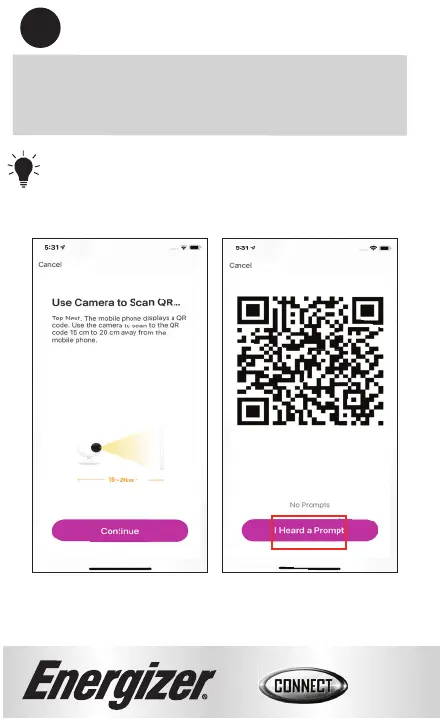
Tip: You are trying to get the camera to scan
the QR code on your phone.
8
8
Place the lens of the camera directly against the QR
code that shows up on your screen and slowly
move the camera back.
Once you hear an audible prompt from the
camera, press the “I Heard a Prompt” buמּon.


 To Next Page