EasyManua.ls Logo

Energometrika PMAC770 - User Manual

Energometrika PMAC770
99 pages
Print Icon
To Next Page IconTo Next Page
Loading...
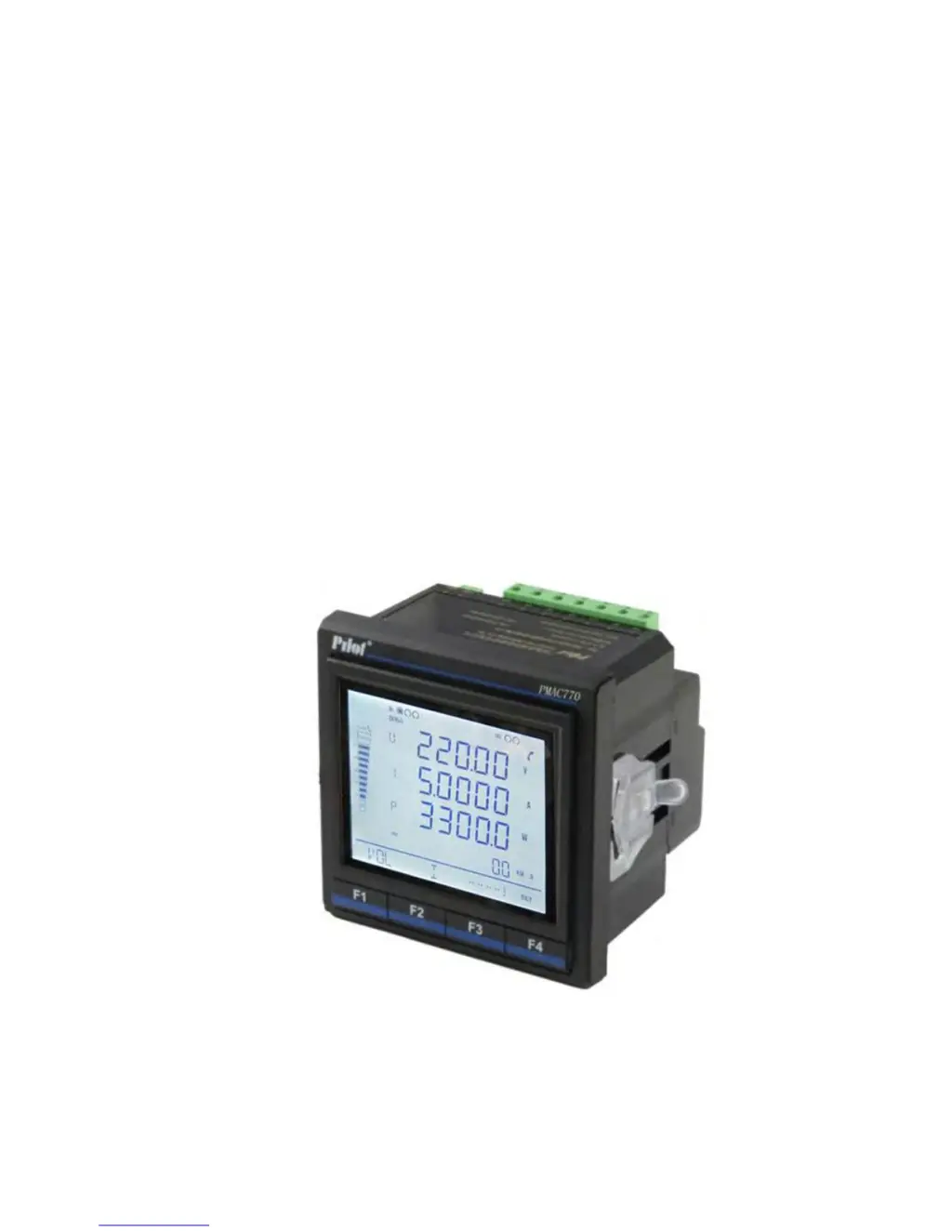
PMAC770 Multifunction Power Meter
Installation & Operation Manual
V3.0
ZHUHAI PILOT TECHNOLOGY CO., LTD.

Table of Contents

Questions and Answers

  • T
    Tony HoltAug 1, 2025
    Why is the measured value incorrect on my Energometrika PMAC770?
    • J
      Joshua PadillaAug 2, 2025
      If the measured value is incorrect, several factors could be at play. If the voltage measurement is incorrect, verify the neutral point is reliably connected, the measured voltage matches the meter's rated parameters, and the PT ratio is set correctly. If the current measurement is incorrect, check that the measured current matches the meter's rated parameters and that the CT ratio is set correctly.
  • E
    ehernandezAug 7, 2025
    What to do if the upper end device can't communicate with the Energometrika PMAC770 Measuring Instruments?
    • R
      Rachel HowardAug 7, 2025
      If the upper end device cannot communicate with the meter, there might be an issue with the communication settings. First, check if the meter's address is consistent with its definition and ensure there are no duplicate addresses on the network. Secondly, confirm that the baud rate setting on the meter matches the upper end device.
  • K
    Kimberly RiceAug 11, 2025
    How to fix no or incorrect pulse output on Energometrika PMAC770?
    • S
      scottcharlesAug 11, 2025
      If there is no pulse output or the pulse output is incorrect, the issue might be with the pulse settings. Verify that the pulse output channels are activated and that the pulse constant is set correctly.
  • J
    James FlemingAug 16, 2025
    What causes the DI status to not change on Energometrika PMAC770?
    • S
      shepardbrianAug 16, 2025
      If the DI status is not changing, several factors could be the cause: * Incorrect power measurement: Ensure the connection mode is set correctly, the phase sequence for voltage and current is correct, and the wiring of current terminals is correct. * Incorrect DI operating voltage: Check that the types of external nodes match the rated parameters of the meter and that the external connection is correct. * Relay control issues: Verify the communication link is correct and the current relay is under the correct control mode.
  • M
    Maria WilsonAug 21, 2025
    Why does my Energometrika Measuring Instruments meter have no indication after power supply is on?
    • S
      Sharon PotterAug 21, 2025
      If the meter shows no indication after turning on the power supply, it might be due to a power supply issue. Check if the correct working voltage has been applied to the L/+ and N/- terminals of the meter. Also, check if the fuse for the control power supply has blown.
  • H
    Heather CantuAug 27, 2025
    How to troubleshoot no analog output on Energometrika PMAC770?
    • M
      Misty MurphyAug 27, 2025
      If there is no analog output, it's possible the analog output is disabled or set to the wrong object. Use communication to check the analog settings.

Summary

Safety and Environmental Information

General Safety Warnings

Critical warnings for installation and operation to prevent hazards.

Electrical Hazard Precautions

Specific risks and protective measures against electric shock, burns, and explosions.

Hardware and Connections

Basic Unit Terminals

Lists and defines the terminals on the PMAC770 basic unit.

Connection Modes and Wiring Diagrams

Display and Operation

Display Instruction and Indicators

Details the meaning of indicators and display areas on the meter screen.

Data Query Procedure

Meter Setting and Configuration

Setting Instruction and Navigation

Guides on accessing setup menu, password entry, and parameter modification.

Communication and Data Clearing Settings

Configures communication parameters and options for clearing data logs.

Relay and Analog Output Settings

Configures relay outputs and optional analog output parameters.

Measuring Functions Overview

Voltage Measurement Details

Explains voltage input options, connection modes, and PT considerations.

Current Measurement Details

Details current measurement, CT requirements, and overload capacity.

Power Quality Analysis

Energy Statistics

Multi-tariff Energy Setup

Details setting up multiple tariffs for energy measurement, including modes and periods.

Record Functions and Event Logging

Setpoint Alarm Configuration

Alarm Object and Condition Settings

Lists monitored parameters and how to set alarm conditions like over/under limit.

Alarm Delay, Output, and Example

Details setting alarm delay times, output signals, and provides a practical example.

Auxiliary Functions

Communication Interface and Protocol

Describes RS485 ports, connection diagrams, protocol, and parameters.

Status Input and Relay Outputs

Explains status input capabilities and the function of relay outputs.

Technical Specifications

Metering, Input, and Overload Specs

Lists detailed specifications for metering, input voltage, and overload capacity.

Status Input, Outputs, and Pulse Specs

Details specifications for status input, relay/pulse outputs.

Environmental and Communication Specs

Lists specifications for power supply, communication, dimensions, and environment.

EMC and Immunity Standards

Details electromagnetic compatibility and immunity test standards and levels.

Maintenance and Troubleshooting

Common Problem Diagnosis

Provides solutions for common issues like no indication or incorrect measurements.

Troubleshooting Specific Functions

Addresses issues related to DI status, relay response, and communication errors.

Advanced Troubleshooting

Covers troubleshooting for analog output, pulse output, and communication link failures.

Energometrika PMAC770 Specifications

General IconGeneral
BrandEnergometrika
ModelPMAC770
CategoryMeasuring Instruments
LanguageEnglish