
 Need help?
Do you have a question about the ENERGY SISTEM BT9 Bluetooth and is the answer not in the manual?
Lists general capabilities and connectivity options like Bluetooth, NFC, and multi-driver technology.
Details technical specifications including Bluetooth version, frequency response, sensitivity, and battery life.
Provides a brief summary of the product's main aspects and included accessories.
Explains how to power the headphones on and off for Bluetooth and Micro SD playback modes.
Details the process of recharging the device's battery using a USB connection and LED indicators.
Describes how to answer, end, and reject phone calls using the headphones' built-in microphone and controls.
Explains how to redial the last number from your connected smartphone by double-pressing the multifunction button.
Outlines how to manage music playback, adjust volume, and switch EQ modes when using a Micro SD card.
Guides users on how to check warranty status, find manuals, and contact support or the distributor for service.
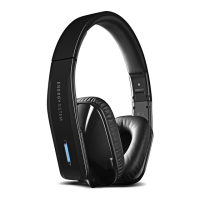
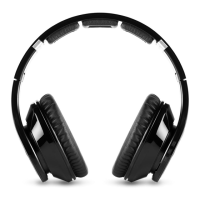
The Energy Sistem BT9 Bluetooth Headphones are wireless headphones designed for a rich audio experience and versatile connectivity. They feature Multi Driver technology with 8 speakers for surround sound and NFC functionality for easy Bluetooth pairing. The headphones also support playing MP3 files directly from MicroSD/SDHC cards.
The BT9 Bluetooth Headphones offer two independent modes of operation: Bluetooth mode and MicroSD card player mode.
To turn on the device in Bluetooth mode, press the Bluetooth button (1) once. The device will power on and enter pairing mode, indicated by the LED (4) flashing red and blue. To turn off the device in Bluetooth mode, hold the same button (1) for several seconds.
For devices with NFC, simply touch the NFC (2) icon on the right earpiece to pair. The headphones do not need to be turned on for this, but NFC must be active on your device.
If the headphones have been previously synced with a device, they will automatically pair when turned on. To pair with a new device, turn on the headphones and hold the Bluetooth button (1) to initiate a new search. If the headphones are on but not synced, they will enter standby mode. To re-enter pairing mode, hold the Bluetooth button (1) for 4 seconds; you will hear a sound, and the LED (4) will flash faster.
To turn on/off the headphones in MicroSD/SDHC playback mode, keep the Micro SD button (9) pressed. The headphones will begin playing songs stored on the MicroSD/SDHC card. To play MP3 files, insert a Micro SD card into the slot (11). If the headphones are turned off or the Micro SD card is removed, the last played song will be saved in the device's internal memory and resume from that point when the card is reinserted.
To switch from Micro SD Playback Mode to Bluetooth function, press the Bluetooth button (1). However, it is not possible to switch directly from Bluetooth mode to Micro SD Playback Mode; Bluetooth mode must be turned off first.
If the battery runs out or you prefer a wired connection, you can connect the headphones to an audio player using the included 3.5mm audio cable via the line-in port (12). In this mode, playback control is not available on the headphones; all controls must be managed from the connected audio player.
When paired with a smartphone or tablet, the headphones allow you to receive phone calls using the built-in microphone (14). To answer a call, press the multifunction button (1) once. If music is playing, it will pause automatically, and you will hear a ring tone. To end a call, press the multifunction button (1) again; the music will resume. To reject a call, press and hold the Bluetooth button (1) for two seconds.
To redial the last registered phone call on your smartphone, press the multifunction button (1) twice.
Once synced or with a Micro SD card inserted, you can control playback directly from the headset:
When the battery is low in Bluetooth mode, an audible warning will repeat every few seconds, and the LED (4) will flash red. To recharge, connect the micro USB end of the included USB cable to the BT9 Bluetooth Headphones (13) and the other end to any USB power source (PC, USB wall charger, car charger, etc.). The LED (4) will light red during charging and turn blue when charging is complete. It is recommended to turn off the device while charging.
 General
| Driver unit | 40 mm |
|---|---|
| Impedance | 32 Ohm |
| Microphone | Yes |
| Charging time | 3 hours |
| Charging port | Micro USB |
| Connectivity | Bluetooth |
| Operating distance | 10 m |
| Frequency range | 20 Hz ~ 20 kHz |
| Battery type | Lithium |




 To Next Page