EasyManua.ls Logo

ENERGY SISTEM eReader Screenlight HD - User Manual

ENERGY SISTEM eReader Screenlight HD
12 pages
Print Icon
To Next Page IconTo Next Page
Loading...
1/12 energysistem.com
ENGLISH
eReader Screenlight HD 2 .................................................................................................................................................

Introduction 3 .....................................................................................................................................................................

Care and Maintenance. 3 ..................................................................................................................................................
Main features 4 ...................................................................................................................................................................
Based on half an hour average daily reading time. 4 ...................................................................................................................
General overview 4 ............................................................................................................................................................
Product content 6 ...............................................................................................................................................................
Power supply 6 ...................................................................................................................................................................
Turning the device On and Off 6 ......................................................................................................................................
Screenlight function 6 .......................................................................................................................................................
Home screen 7 ....................................................................................................................................................................
Main applications 8 ............................................................................................................................................................
Update 10 ............................................................................................................................................................................
Important: Make sure the version you are downloading is specific to your eReader model and serial number.
Otherwise it could damage the device. 10 ..............................................................................................................
Troubleshooting 11 ............................................................................................................................................................
Warranty conditions 11 .....................................................................................................................................................
Support and warranty procedure 11 ...............................................................................................................................
Declaration of conformity 11 ............................................................................................................................................
Question and Answer IconNeed help?

Do you have a question about the ENERGY SISTEM eReader Screenlight HD and is the answer not in the manual?

Overview

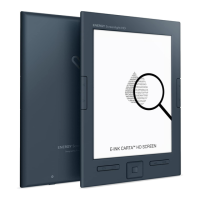
The Energy Sistem eReader Screenlight HD is an innovative e-book reader designed for comfortable and enhanced reading experiences. It features a 6-inch E-Ink Carta HD display with a backlight, making it suitable for reading in various lighting conditions.

Function Description:

The eReader Screenlight HD is primarily designed for reading e-books, supporting popular formats like PDF and EPUB, including those with Adobe DRM. It offers advanced reading functions that aim to provide a more satisfying experience than traditional paper formats. Users can store thousands of books thanks to its 8GB internal memory, which is expandable by an additional 64GB via microSD-HC/XC cards. Beyond reading, the device includes basic applications such as a file manager, image viewer, settings, and a Sudoku game for mental exercise. The intuitive user-friendly OSD (On-Screen Display) is available in multiple languages, making it accessible to a wide range of users.

Important Technical Specifications:

  • Display: 6-inch E-Ink Carta HD Display, 16 gray levels, high contrast.
  • Resolution: 758 x 1024 pixels, 212 ppi (pixels per inch).
  • Backlight: Integrated Screenlight function for low-light reading.
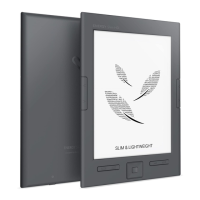
  • Design: Compact and ultralight, only 8.1 mm thick, weighing 181 grams.
  • Processor: Latest generation for ultra-fast device management.
  • Internal Memory: 8GB (stores thousands of books).
  • Expandable Memory: Up to 64GB via microSD-HC/XC cards.
  • Battery: Rechargeable lithium battery, offering up to one month of use on a single charge (based on half an hour average daily reading time).
  • Supported Formats: Adobe DRM for PDF and EPUB.
  • Connectivity: MicroUSB connector for charging and data transfer.
  • Ergonomics: Side buttons for easy page turning (left or right-handed use).
  • Anti-reflection System: Prevents glare and reflections for comfortable reading under direct sunlight.

Usage Features:

  • Power Management:
    • Turning On/Off: Hold the Power/Standby button (10) to turn on or off. A short press puts the device in standby mode, allowing instant return to the last screen.
    • Standby Mode: A low-power mode that displays an image without consuming energy. Users can set the time before the eReader enters standby or disable it.
    • Shutdown Mode: Users can set the time before the eReader automatically switches off to preserve battery life or disable it.
  • Screenlight Function:
    • Activation/Deactivation: Long press the Screenlight button (8) to turn the backlight on or off.
    • Adjustment: Briefly press the Screenlight button to display the lighting level adjustment window. Use left/right navigation keys to select the desired level, then press the Selection or Back key to exit.
  • Navigation:
    • Page Turning: Dedicated Page backward (1) and Page forward (2) buttons.
    • General Navigation: Direction buttons (5) and Select button (6) for menu and content navigation.
    • Go Back: Go Back button (4) to return to the previous screen.
    • Options: Option button (7) to access context-sensitive menus.
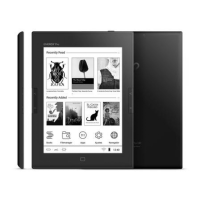
  • Home Screen: Displays recently read books with reading progression, latest added books, main applications (Books, Filemanager, Images, Settings, Sudoku), date, battery level, and clock.
  • Book Management:
    • Library: View all books stored in internal memory and microSD card.
    • Search: Search for favorite books.
    • Go to Page: Select a specific page in the book list.
    • Delete Book: Delete files and folders.
    • Display Format: Choose between list view or library view (showing book covers).
    • Sorting: Sort books and folders by name, date, file type, author, or size.
    • Properties: View information about selected books or folders.
  • Advanced Reading Functions:
    • Go to Page: Directly jump to a specific page within a book.
    • Search Text: Search for text within the book.
    • Page Setup: Adjust font size, font (FB Reader only), spacing, margins, publishing default, hide progress bar, and apply settings to all books.
    • Add Bookmark: Create bookmarks on book pages for quick access.
    • Content and Bookmarks: View the index and all created bookmarks.
    • Home: Go to the book's index.
    • Rotate Screen: Rotate the screen 90° clockwise or counterclockwise.
    • Autoturn Page: Automatically turn pages after a set time.
    • Autoturn Settings: Configure the reading time before moving to the next page.
    • Book Information: View details about the book (author, ISBN, publisher, type, etc.).
  • Image Viewer:
    • Gallery: View all image files from internal memory or microSD card.
    • Image Options: Search, go to page, delete file, list/mosaic view (thumbnails), sorting (by name, date, file type), properties.
    • Viewing Functions: Show picture/back to full screen, screen rotation, add to screensaver, about picture (name, size, file type).
  • File Manager:
    • Browse: View all folders and files from internal memory or microSD card.
    • File Options: Search, go to page, delete file, list/mosaic view, sorting (by name, date, file type, size), properties.
  • Settings:
    • System Font: Customize the on-screen display font (7 options).
    • Date and Time: Set date and time.
    • Screen Saver: Select images to be displayed as a screensaver during standby. Images can be added from the image viewer.
    • DRM Settings: Adjust username and password for Adobe Digital Edition protected content.
    • Reading Preferences: Set default book reader (FB Reader or Adobe Reader), full-screen reading, and light settings.
    • Settings Language: Select the device language.
    • Restore Default Settings: Reset all customized settings to original default values.
    • About the eReader: Displays model information, battery status, software version, serial number, and memory usage.
  • Sudoku Game: A 9x9 grid game with adjustable difficulty levels to exercise the mind.
  • Firmware Update: Update the eReader's operating system via computer by downloading the latest firmware from energysistem.com. Requires a fully charged battery.

Maintenance Features:

  • Cleaning: Keep the eReader clean with a soft, dry cloth. Avoid abrasive or corrosive cleaners.
  • Screen Care: Do not bend the screen.
  • Environmental Protection: Avoid exposing the device to shakes, dust, direct sunlight for prolonged periods, humidity, or high temperatures.
  • Data Integrity: Do not remove the microSD card or turn off the device while reading or writing data to prevent data loss.
  • Electromagnetic Fields: Do not place the reader near devices that emit strong electromagnetic fields, as this may cause damage or data loss.
  • Data Backup: Periodically back up data to another storage device. Energy Sistem™ is not liable for damage or loss of stored data.
  • Repairs: Do not disassemble the eReader. All repairs must be performed exclusively by qualified Energy Sistem Technology S.A. personnel.
  • Battery Charging: The rechargeable lithium-ion battery can be refilled using any USB type charger with the microUSB cable. Charging time varies between 3 and 5 hours.
  • Warranty: Energy Sistem Technology S.A. provides a 36-month warranty for conformity defects (12 months for batteries). This covers defects in workmanship or materials but excludes failures due to accidents, misuse, or unauthorized alterations. The 36-month warranty is valid for the European Union; other countries should refer to specific legislation.
  • Support: Access support, FAQs, user manuals, drivers, and updates, or submit queries to Technical Service via http://support.energysistem.com/es/support. Alternatively, contact the distributor with the purchase receipt or invoice.

ENERGY SISTEM eReader Screenlight HD Specifications

General IconGeneral
BrandENERGY SISTEM
ModeleReader Screenlight HD
CategoryeBook Reader
LanguageEnglish

Related product manuals