Need help?
Do you have a question about the ENERGY SISTEM Tower 5 White and is the answer not in the manual?
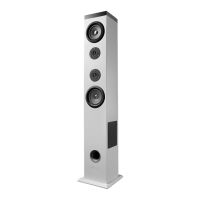
This document describes the Energy Sistem Tower 5, a 2.1 sound system tower designed to enhance your audio experience. It offers a variety of connectivity options and features for versatile use.
The Energy Sistem Tower 5 serves as an integrated music player with multiple functionalities. Its primary role is to deliver high-quality audio through its 2.1 sound system. Users can connect their Bluetooth devices to stream music wirelessly, enjoying the system's powerful sound.
Beyond Bluetooth, the Tower 5 supports playback from external memories. It features a USB port and an SD/SDHC card reader, allowing users to play MP3 and WAV files directly from USB pendrives and SD/SDHC/MMC cards. The device also includes an FM Radio, providing access to local radio stations. For wired connections, an Audio-in input (3.5mm jack) is available, enabling users to connect MP3 players, mobile phones, tablets, and other audio devices.
The Tower 5 is equipped with a "DC OUT" USB port, which allows users to charge other devices like smartphones or tablets while the tower is in use as a player. This adds a convenient charging feature, making the tower a central hub for both audio and device power.
The Tower 5 offers intuitive control through its touch panel located on the top of the device, as well as a full-function remote control.
Power and Standby: To power on the device, first connect it to a power supply and ensure the rear switch is in the "ON" position. The tower can then be turned on or off (into standby mode) by pressing and holding the "PLAY" button on the top panel for 2 seconds. For extended periods of non-use, it is recommended to turn off the rear switch.
Display: The device features a backlit LED display hidden on the top panel. When turned on, the Energy Sistem logo is visible, along with information about the current mode and other relevant details.
Touch Control: The top panel's touch control allows for easy management of all functions. For a correct response, users should press the desired control with a fingertip and hold for approximately 1 second.
Mode Selection: The "Mode" button (5) on the top panel allows users to switch between available functions. If no USB or SD/MMC devices are connected, the mode button cycles between FM Radio, Bluetooth, and Line-in (Aux) modes. When a device is connected to any of the inputs, the Tower 5 automatically switches to that function. If multiple inputs are connected, the mode button cycles through all available options.
Bluetooth Function: Upon startup, "bt" will appear on the screen, indicating that the device is ready for pairing. Users can then pair their Bluetooth audio devices (tablets, smartphones, PCs, MACs) with the Tower 5, which will appear as "Tower 3" in their device list. Once paired, music can be streamed wirelessly. To change the paired Bluetooth device, users can turn off the Bluetooth function on their current audio device or press button (4) for 2 seconds to search and pair with a new device. The Tower 5 supports A2DP (Advanced Audio Distribution Profile) for stereo music and AVRCP (Audio Video Remote Control Profile) for controlling music from the top panel or remote control.
MP3 Playback from External Memories: To play MP3 files, insert a USB stick into slot (13) or an SD/MMC memory card into slot (11). If the Tower 5 is turned off or the external memory is removed, playback will resume from the last point when the same memory is reinserted. Users can navigate between tracks using the "Next" (12) and "Previous" (2) buttons. Folders can be changed using the folder button.
Playback Order: Folders on external memories are read in chronological order of writing. Songs within these folders are played in alphabetical order. For example, if folders 'B' and then 'A' are copied, the first song played will be the first song in alphabetical order from folder 'B'.
FM Radio: Before using the FM radio, users must search for available channels. This is done by pressing and holding the "Play/Pause" button (5) for 3 seconds, which saves all found stations to the device's internal memory. This process may take a few minutes and does not need to be repeated unless the location changes or radio station signals are modified. To select between saved stations, use the "Forward" (12) or "Backward" (2) buttons. Stations appear in the order they were saved. For manual tuning, press and hold the "Forward" (12) or "Backward" (2) buttons to find the desired station.
Line-in Function: To use the line-in function, connect the audio cable to the line-in port (10) (indicated as "Aux" on the display) and connect the other end to an external audio device.
Equalizer Sound: The Tower 5 features two physical controllers at the rear for manual sound equalization: Treble EQ and Bass EQ. Additionally, users can select from 5 preset equalizers using the "EQ" button on the remote control: Normal (EQ 0), Pop (EQ 1), Rock (EQ 2), Jazz (EQ 3), and Classic (EQ 4).
Remote Control: The remote control provides comprehensive control over all Tower 5 functions, including:
Proper care and maintenance are essential to ensure the longevity and optimal performance of your Energy Sistem Tower 5.
General Care:
Structural Integrity:
Environmental Protection:
Power Management:
Charging External Devices:
 General
| Brand | ENERGY SISTEM |
|---|---|
| Model | Tower 5 White |
| Category | Speaker System |
| Language | English |

 To Next Page