
 Need help?
Do you have a question about the ENERGY SISTEM Tower 8 and is the answer not in the manual?
Lists key technical specifications and capabilities of the 2.1 sound tower system.
Details the items included in the package with the Tower 8 speaker system.
Describes the layout and features visible from the top of the device.
Describes the layout and controls located on the back of the device.
Overview of the device's music playback, radio, and connectivity capabilities.
Instructions on how to turn the device on, off, and put it into standby mode.
Explains the backlit display and the information it shows during operation.
Details how to use the touch panel for controlling all device functions.
Guides on pairing and using Bluetooth devices for wireless music playback.
Instructions for playing MP3 files from USB or SD/MMC memory cards.
Explains the chronological and alphabetical order for playing music files from folders.
How to scan, store, and switch between FM radio stations.
Steps to connect external audio devices using the Line-in (AUX) port.
How to adjust treble, bass, and select EQ presets for sound customization.
Information about the DC OUT port for charging external devices.
Explains the functions and buttons available on the remote control.
Details the warranty period, coverage, and exclusions for the product.
Steps to follow for obtaining technical support or making a warranty claim.
States the product's compliance with essential norms and standards.
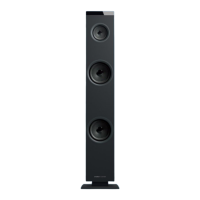
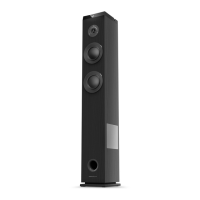
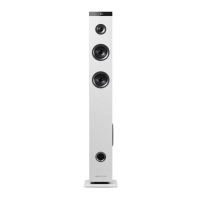
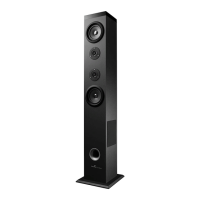
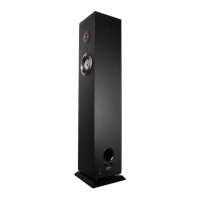
This document describes the Energy Sistem Tower 8 Bluetooth, a 2.1 sound tower system designed for a rich audio experience.
The Energy Sistem Tower 8 is a versatile music player with integrated Bluetooth® v4.0 + EDR technology, allowing for wireless connection to various devices such as tablets, smartphones, PCs, and MACs. It also supports playback from external USB pendrives and SD/SDHC/MMC cards up to 64 GB, compatible with WAV and MP3 audio formats. The device includes an FM Radio with a frequency range of 87.5-108MHz, and an Audio-In (Aux) input for connecting external audio devices via a 3.5 mm jack cable. Additionally, it features two DC outputs for recharging external devices, providing 5V and 2.5A.
The Tower 8 offers a user-friendly experience with its touch control panel located on the upper part of the device and a backlit LED display on the top-front.
General Functions: The device can be turned on and off by pressing the "PLAY" button for two seconds (stand-by mode) after connecting to the power supply and setting the main switch on the back to "ON". The mode button (5) allows users to switch between FM Radio, Bluetooth, and Line-in (Aux) modes. If a device is connected to the USB or SD/MMC inputs, the Tower 8 will automatically switch to that mode. When multiple devices are connected, the mode button (5) can be used to switch between them.
Bluetooth Function: Upon entering Bluetooth mode (indicated by "- bt -" on the display), the Tower 8 will appear as "Tower 8" on Bluetooth devices for automatic pairing. To pair with a different device, users can turn off the Bluetooth function on the current audio device or press and hold the mode button (5) for four seconds. The Tower 8 supports A2DP for stereo music and AVRCP for music playback control via the panel or remote.
MP3 Function with External Memories: MP3 files can be played by inserting a USB stick into slot (12) or an SD/MMC memory card into slot (10). The display will show "USB" or "SD" accordingly. Music playback resumes from where it stopped if the device is turned off or the external memory is removed. Tracks can be skipped using the next (13) and previous (2) buttons. To fast forward or rewind within a song, press and hold the forward (13) or back (2) buttons for 4 seconds. Folders can be changed by pressing button (4).
Playback Order: Folders are read in chronological order, and songs within each folder are read in alphabetical order. For example, if folder 'B' is copied before folder 'A', songs from 'B' will play first.
FM Radio: To use the radio, users must first scan for available stations by pressing and holding the MODE button (5) for 4 seconds while in radio mode. This saves stations to the device's internal memory. Stations can be changed using the forward (13) or backward (2) buttons.
Audio-In: Connecting an audio cable to the Audio-In port (11) automatically activates the "Audio-In" function, indicated by "AUX" on the display.
Equalizer Sound: The Tower 8 features two controllers on its back for adjusting Treble and Bass EQ. In "SD" and "USB" modes, users can select from 5 preset EQ options by pressing and holding the folder button (4) for 4 seconds or by using the EQ button on the remote control:
Device Recharging: The "DC OUT" (9) output allows for recharging smartphones, tablets, or MP3 players while using the Tower 8. Output specifications are 5V and 2.5A. It is important to note that devices requiring a voltage above 5V cannot be charged. To prevent radio interference, the FM antenna should be kept separate from the charging cable.
Remote Control: The included remote control offers full functionality:
Energy Sistem Soyntec SA provides a 36-month warranty for conformity defects from the purchase date. Batteries have a 12-month warranty. This warranty covers defects in workmanship or materials but excludes failures due to accidents, misuse, or unauthorized alterations. The 36-month warranty is valid for the European Union; for other countries, specific local legislation or distributor policies apply.
Warranty Procedure:
Specifications are subject to change without notice. All company, brand, and product names are trademarks or registered trademarks of their respective companies. © 2015 by Energy Sistem Soyntec S.A. All rights reserved.
Declaration of Conformity:
Waste Disposal: The symbol on the product or instructions indicates that electrical and electronic equipment should be disposed of separately from household waste at the end of its life. For more information, contact the local authority or dealer where the product was purchased.
 General
| Brand | ENERGY SISTEM |
|---|---|
| Model | Tower 8 |
| Category | Speakers |
| Language | English |



 To Next Page