TECNOLOGIA SEM FIO
BLUETOOTH
®
Bluetooth
Bluetooth
ON
PowerBase
Devices
Connected
Settings
Bluetooth
Bluetooth
ON
PowerBase PowerBase
Devices
Not Connected
Settings
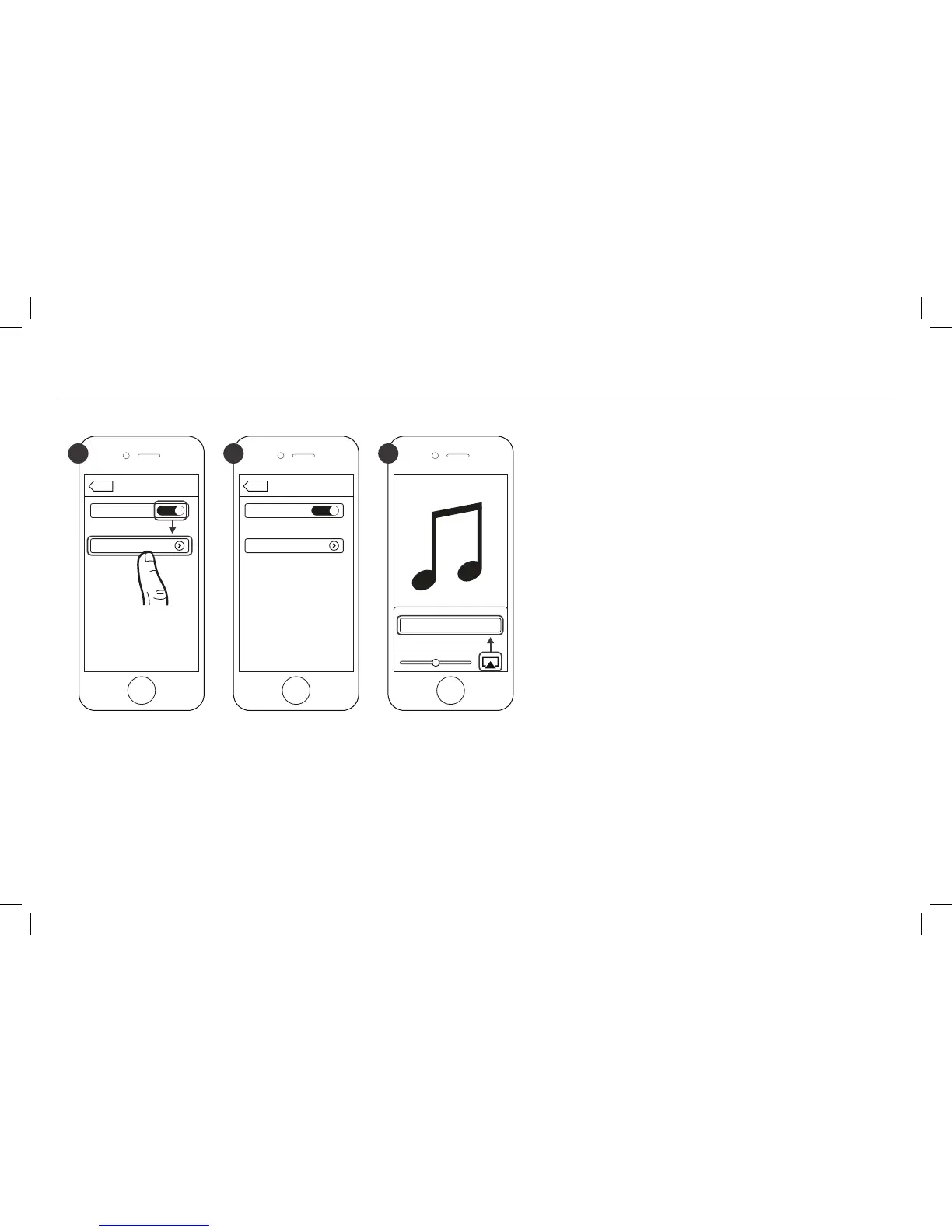
1 2 3
É possível emparelhar um dispositivo
Bluetooth
a qualquer momento ativando o
Bluetooth
no
dispositivo.
Depois que o dispositivo
Bluetooth
estiver em-
parelhado, a Energy Power Base mudará auto-
maticamente para a entrada
Bluetooth
(LUZ AZUL
CONSTANTE), o que permitirá a reprodução de
músicas. Se a entrada for alterada na Energy
Power Base, a conexão
Bluetooth
será automatica-
mente encerrada.
É necessário desconectar um dispositivo
Bluetooth
antes de emparelhar outro. Para isso:
• Pressione e mantenha pressionado por 3 segundos
o botão SOURCE no painel de controle da Energy
Power Base
• Desative o
Bluetooth
no dispositivo emparelhado
• Pressione o botão
Bluetooth
no controle remoto
da Energy Power Base
*Apenas para exemplo. O dispositivo pode ser diferente.



 To Next Page