E
CA3290 series
User’s Manual
1.1
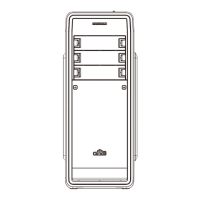
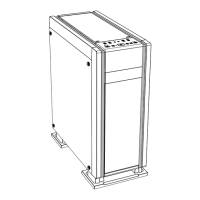
Product View
Chap
ter 1 :
•Pr
oduct Overview
Le
Front Right
R
ear
T
op
R
eset
HDD LED
Power
USB USB
Microphone Haedphone
Chap
ter 2 :
•Ins
tallaon Guide
2.1 How to Remove Both Side Panels
1.2 Specs
Model Nam
e
5.25”
3.5”
2.5”
R
ear
Side
Top
Boom
E
CA3290B ECA3290A
Driv
e Bays
Cooling
Dimensions (mm)
Material
M/B
Power Supply
Expansion Slots
2.2 How to Install Optical Drive
1
A
D
B
Ho
w to install device to the 3rd drive bay (ECA3290B)
R
emarks:
UNL
OCKED
L
OCKED !
Backside
C
3
2
P
ower LED
T
o lock ODD, slide it unl
hearing click sound.
D487 x W234 x H488
SE
CC 0.5~0.6mm
Micro ATX, ATX
ATX 12V (Oponal)
3
5 x Hi
dden
2 (converted from 2 x 3.5”)
3
7 x Hidden
4 (converted from 4 x 3.5”)
12cm fan x 2
12cm fan x 1
Acrylic window
14/12cm fan x 2 or UCTA18A/UCTVQ18A x 1
12cm fan x 1
7
USB 3.0 x 2 (w/internal 19-pin &
one USB3.0 to USB2.0 converter
Front
I/O
*Product specifiations are subject to change without notice.
*Options vary by countries or regions. For detailed information please visit our website at www
.enermax.com
No
ce

 Need help?
 General

 To Next Page