*Ins
tall Top F
an
2x
14/12cm fans
A
B
A
1x18cm f
an
B
A
B
D
Ho
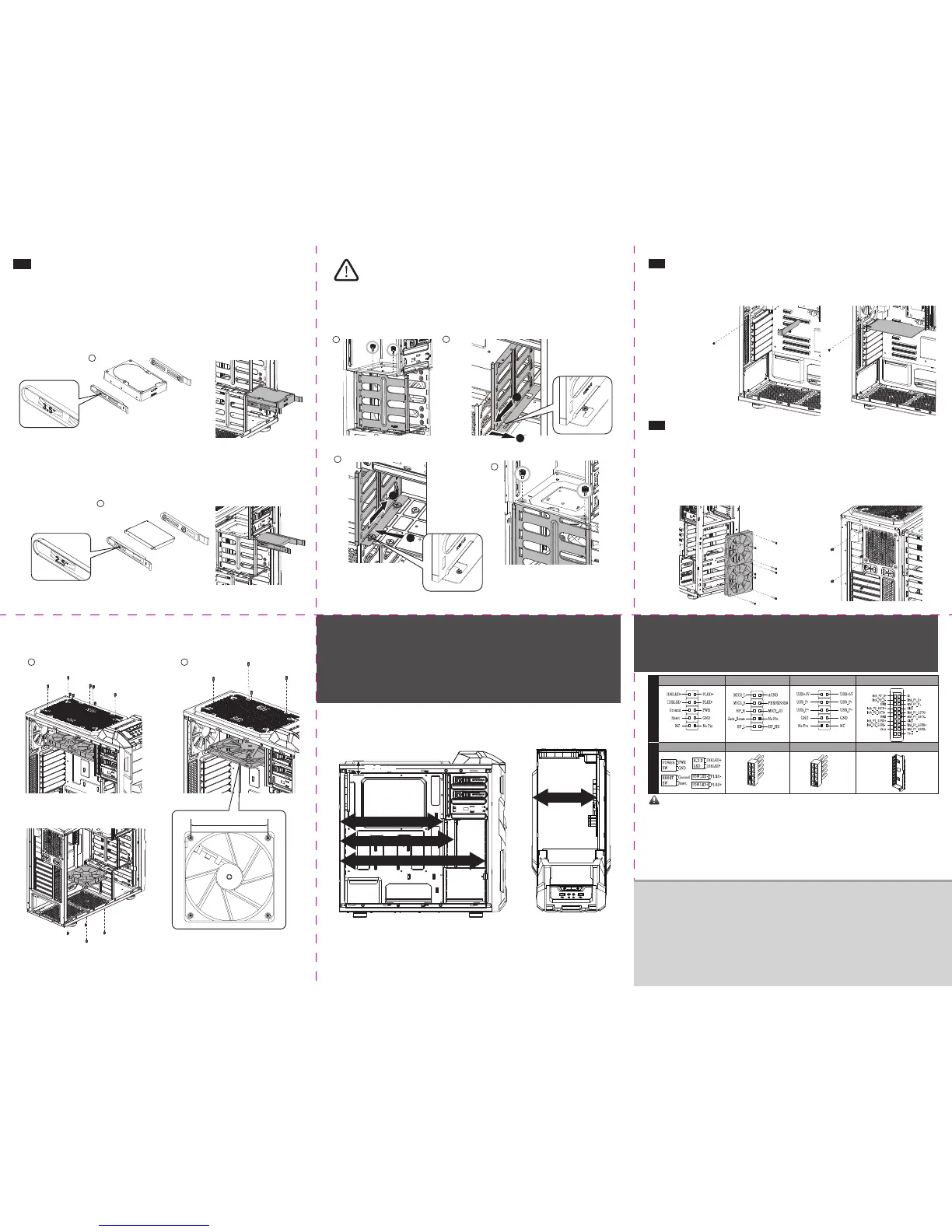
w to expand 3.5” storage space
R
emarks:
2.3 Ho
w to Install Internal 2.5“ & 3.5“ Device
3.5”
HDD
2.5”
SSD
3.5”
HDD
2.5”
SSD
2.5 How to Install Add-on Cards
2.6 Ho
w to Install System Fans
*Install F
ront Fan (2x12cm fans) *Install Rear Fan (1x12cm fan)
Chap
ter 3 :
•Sug
gested Height of CPU Cooler and Length of VGA card
If you have any question or need support, please contact your reseller or nearest ENERMAX subsidiary/agent or ENERMAX
headquarter service center
.
Chap
ter 4 :
•Cable Connecon Descrip
on
Noce:
•On some motherboards, the connectors might not be exactly the same as the drawings above, please check with your motherboard ma
nual
before installing
USB 3.0 Connect
or
USB 3.0 Connector
Motherboar
dCable
P
anel Connector
Panel Connector
High De
finion Audio (Azalia)
HD Audio Connect
or
USB 2.0 Connector
USB 2.0 Connector
*I
nstall Boom Fan (1x12cm fan)
155mm
290 mm
179 mm
322 mm
415 mm
1
2
C
1
2
UNL
OCKED
32.8 mm32.8 mm
L
OCKED


 To Previous Page